Chapter 1: Why Tmux? Understanding Terminal Multiplexing
If you have ever run a long command over SSH and lost it because your connection dropped, you already understand the pain tmux solves.
Tmux is a terminal multiplexer. In plain language, it lets you run and manage multiple terminal workspaces inside one terminal environment, and it keeps those workspaces alive even when your network session dies.
In this chapter, I want you to understand that core idea first. We will get into the shortcuts and commands later. For now, let us focus on why tmux is useful and what problem it actually solves.
The Problem Tmux Solves
Without tmux, your remote shell is tied to your current SSH connection.
ssh user@server
You now have a shell running through that connection. Perhaps you start a long command:
./deploy.sh
Everything is fine as long as the connection stays alive.
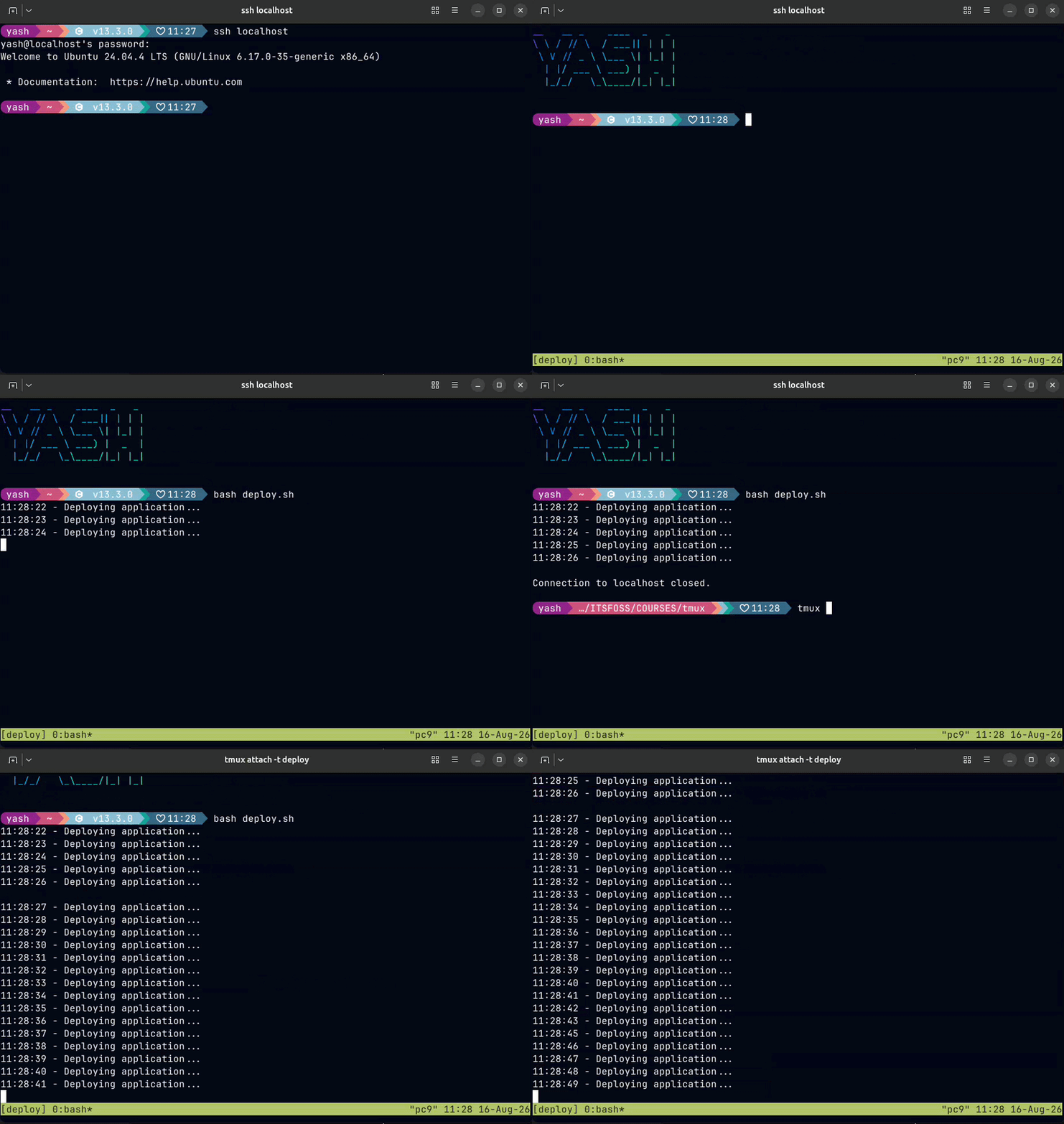
But what happens if your network drops? The connection disappears, and your shell can disappear with it. For demo I will connect to my localhost and try a long-running command without Tmux:
This becomes frustrating when you are running: database imports, backups, deployment scripts, long test runs, builds, log monitoring, etc.
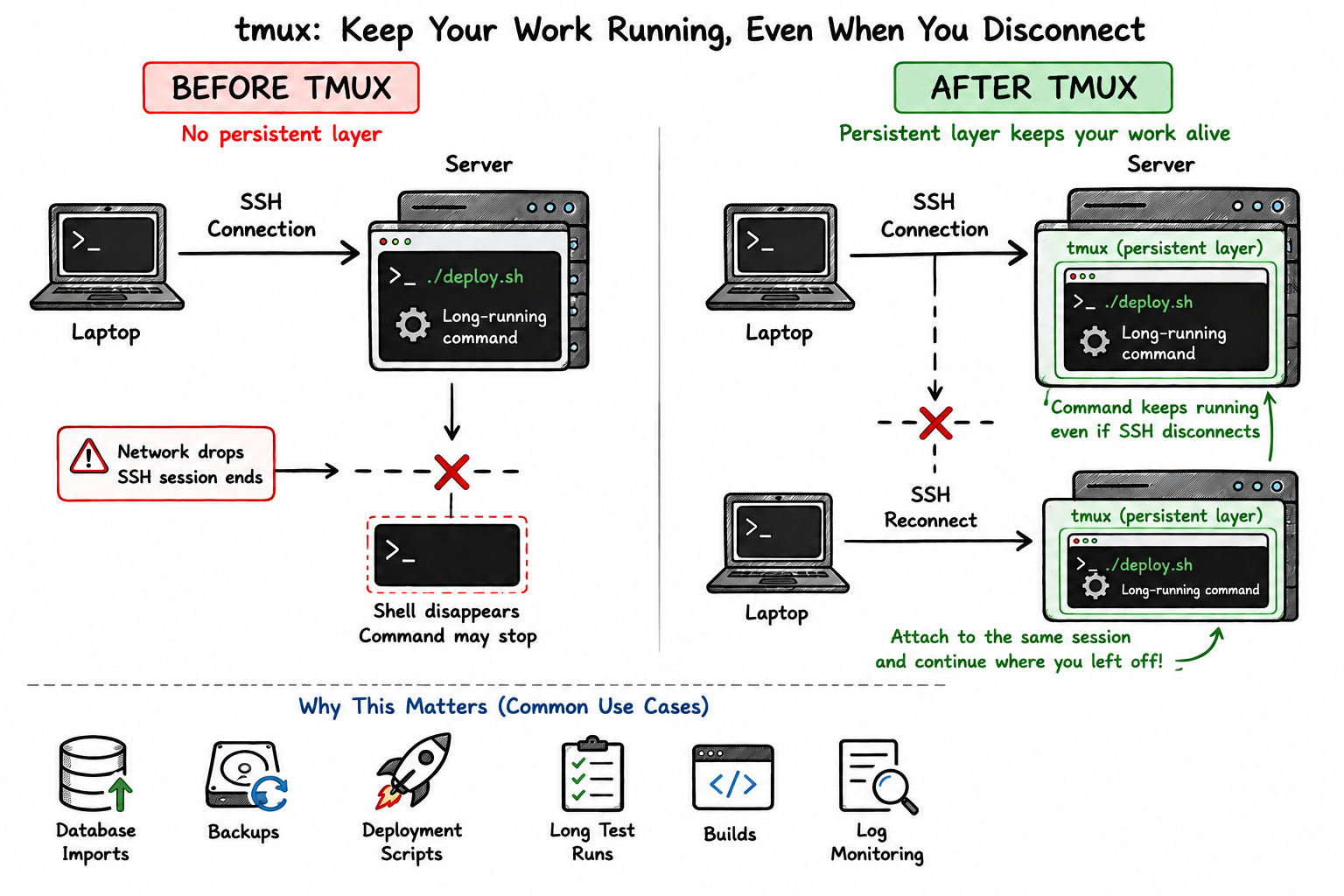
Tmux adds a persistent layer between your SSH connection and the work you are doing. Now your SSH connection can disappear while the tmux session continues running on the server.
Later, you reconnect and attach to the same session.
The visual representation below explains the problem Tmux solves for your use cases
What Does "Terminal Multiplexer" Mean?
The name sounds complicated, but the idea is simple. Tmux gives you three main layers:
Think of them like this: Session - your main workspace, Window - a tab inside that workspace, Pane - a split terminal inside a window
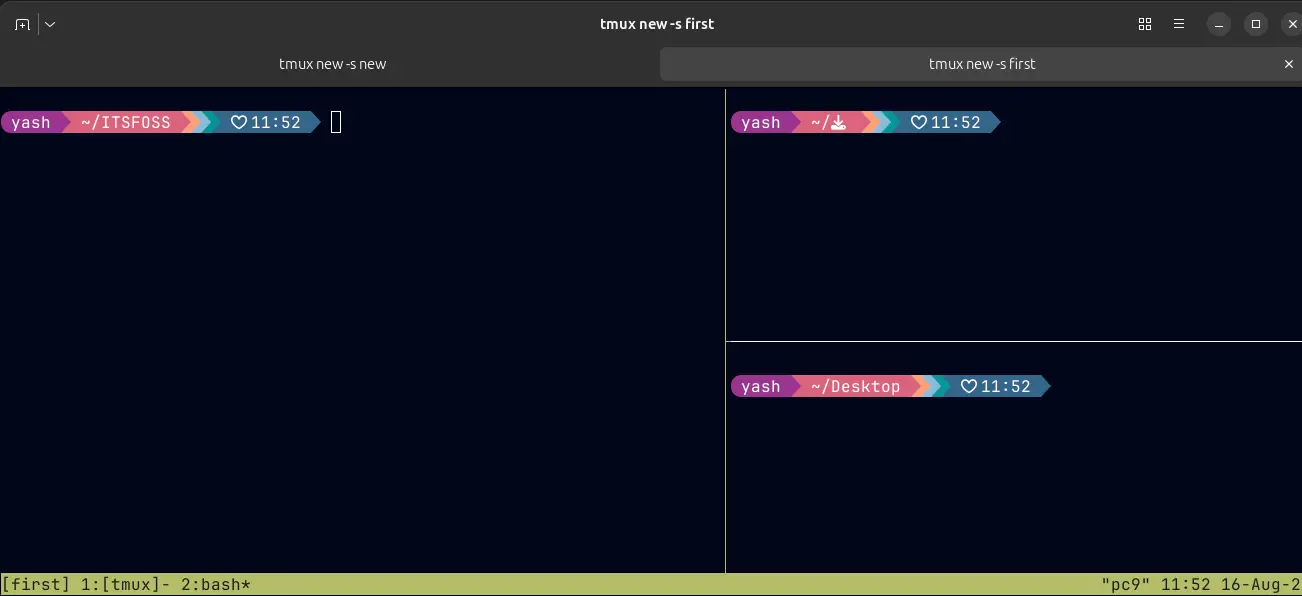
This structure lets you keep related work together without opening a huge number of separate terminal windows.
Who Benefits Most From Tmux?
Tmux can help anyone who spends a lot of time in the terminal, but it is especially useful for: developers, DevOps and SRE engineers, system administrators, anyone running long terminal processes, or Linux learners who want a more organized workflow.
Even on your local machine, tmux can reduce terminal-tab clutter. And you don't need to be an advanced Linux user to benefit from it. The basic workflow already gives you most of the value: sessions → windows → panes → detach → reattach
A Real-World Scenario
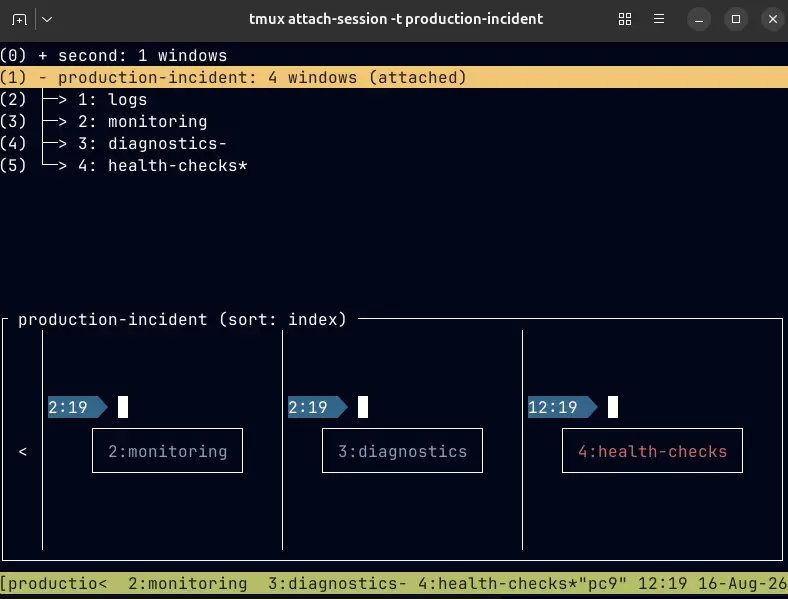
Imagine you are debugging an application on a production server.
You need to:
Logs
Monitoring
Diagnostics
Health checks
Without tmux, you might open four separate terminal tabs. With tmux, you can organize everything inside one session:
That's the basic flow you need to understand. In the next chapter, we'll install tmux and get our hands on it for the first time!