We've built something new for you. A free Linux CTF game, and I've had more fun testing it than I'd like to admit.
A CTF (capture the flag) teaches you Linux by making you work for it. You get a locked-down system, a riddle, and a hidden flag (a string), and you have to use real commands to dig it out.
These challenges force you to think, employ your reasoning and logical skill along with your Linux command line skills.
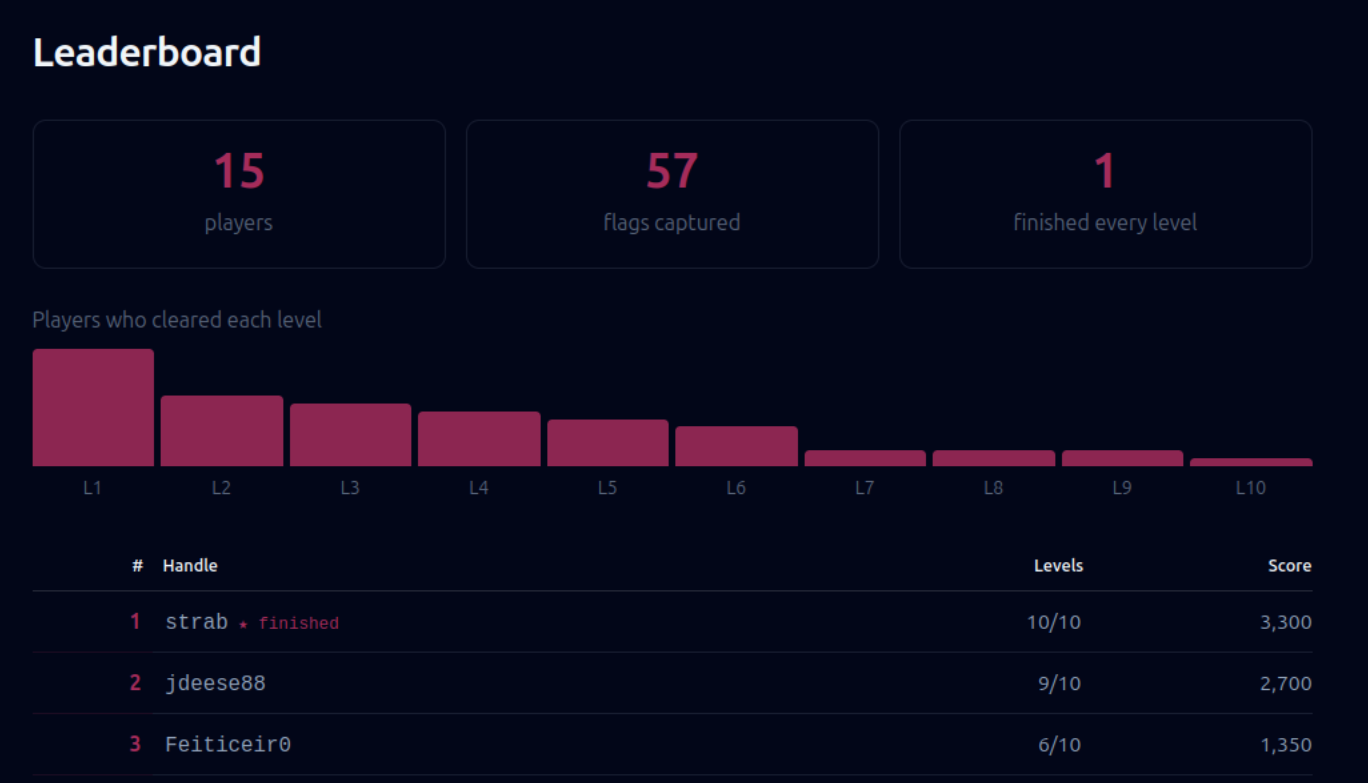
While the entire CTF is played locally on your own system, your progress can be shown on a public leaderboard.
🚩 Command Conqueror: our free Linux CTF
It starts with hidden files and ends with a full SUID privilege escalation. Each level drops you into a small Linux system ruled by Lord Tuxi, who leaves you a riddle and hides a flag somewhere. You find it, submit it, and climb the leaderboard.
It's free, and you don't need an account to play. If you do link your Linux Handbook account, your progress saves across machines.
You need Docker and Python 3.7+ (WSL 2 on Windows), then:
curl -fsSLO https://ctf.linuxhandbook.com/play.py
python3 play.py
You don't need to know Docker or Python. The CTF runs with those two.
Pick a handle, choose Command Conqueror, and type play to start. The early levels are gentle if you've spent time in a terminal.
Play it here. There is a demo here that shows how to play the CTF.
 Yash Kiran Patil
🎓 See who can do what
Level 10 of the CTF ends with privilege escalation, which sounds scarier than it is. Most of it comes down to one question: on this system, what can I actually do, and what can I do that I'm not supposed to?
A few commands answer that fast. ls -l shows the permission bits, and an s where you'd expect an x (like -rwsr-xr-x) is the SUID bit, meaning the file runs with its owner's privileges instead of yours. That's the first thing a CTF player, or an attacker, goes looking for.
To find every SUID binary on a box:
find / -perm -4000 -type f 2>/dev/null
From there, sudo -l lists exactly what your user is allowed to run as root, id shows the groups you're in, and getcap -r / 2>/dev/null shows binaries with special capabilities that ls won't show you.
It's the same audit you'd run on your own server to check nothing has more power than it should. If you want details, our guide on SUID, SGID and the sticky bit breaks down what those permission bits really mean.
💡 Quick terminal tip
Bash and zsh let you feed one command's output to another as if it were a file, using <(...). No temp files, no cleanup.
It's great for comparing two states. Say you want to see what differs between two directories, or two command outputs:
diff <(ls dir1) <(ls dir2)
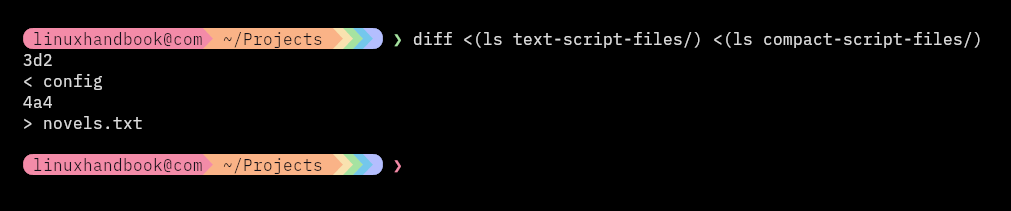
This is called process substitution, and is pretty handy in bash scripts.
📦 Self-hosting: CyberChef
If the CTF throws a wall of base64 at you (level 5 will), this is what you want open in another tab. CyberChef is a browser-based, drag-and-drop toolkit for encoding, decoding, encryption, hashing and data parsing.
 gchq
gchq
🛠️ Tool discovery: gopass
gopass is a command-line password manager built for teams. It stores everything in GPG or age-encrypted files with git-backed version history, so your credentials live in a repo you control instead of someone else's cloud.
It works fully offline, which makes it a good fit for shared credentials across a distributed team or a CI/CD pipeline.
 gopasspw
📰 Linux news that matters
- A newly public exploit for a Linux kernel bug (CVE-2026-80521) lets attackers escape an Ubuntu container and get root on the host, and Ubuntu still hasn't shipped the patch.
- Canonical is merging its split kernel update tracks into a single 2-week SRU cycle that overlaps weekly, so Ubuntu kernel fixes ship faster, largely because AI-assisted vulnerability hunting is finding kernel bugs faster than the old process could keep up with.
- Portainer's Community Edition is being frozen on the 2.x line, while all new Kubernetes-first development goes exclusively into the closed-source Portainer 3.0.
- A Google engineer has posted a 46-patch RFC series for "Orphaned VMs," an early-stage Linux kernel mechanism that uses the Live Update Orchestrator to keep virtual machines executing on preserved physical CPUs while the host kernel reboots or applies updates.
- AWS has open-sourced Strands Harness, an agent runtime that bundles tools, context management, memory, and session handling on top of its Strands SDK. While it defaults to Amazon Bedrock, it works with Anthropic, OpenAI, Google, or local Ollama models, and AWS claiming 45% lower cost than Claude Code and Codex on benchmark tasks.
- Starting October 19, GitLab will enforce new tiered API rate limits by subscription plan, driven by surging traffic from AI coding agents, so teams running automated tools should authenticate their requests and watch for rate-limit warnings to avoid getting throttled.
😂 Geek humor

💌 Keep on loving Linux Handbook
This CTF is free and there will be more. It's the kind of thing our Pro members make possible. Pro gets you that plus every other course, all our eBooks, and every tutorial we've published.
Become a Pro member · Browse courses · eBooks
Missed the previous editions? You can access the newsletter archives.
I like reading your messages, so just hit reply and tell me how far you got in the CTF 😄