If you've ever pasted a Bitly link into your marketing email and then checked your stats at the end of the month, only to find the analytics you actually wanted are locked behind a $10/month or $29/month plan, you've already felt the frustration that Shlink was built to solve.
Shlink is a self-hosted, open-source URL shortener built in PHP. It gives you your own short domain (like yourdomain.com/abc), full visit tracking with geolocation, a REST API, a web dashboard, custom slugs, and more, all running on your own server. No per-link limits, no monthly bills, no vendor lock-in.
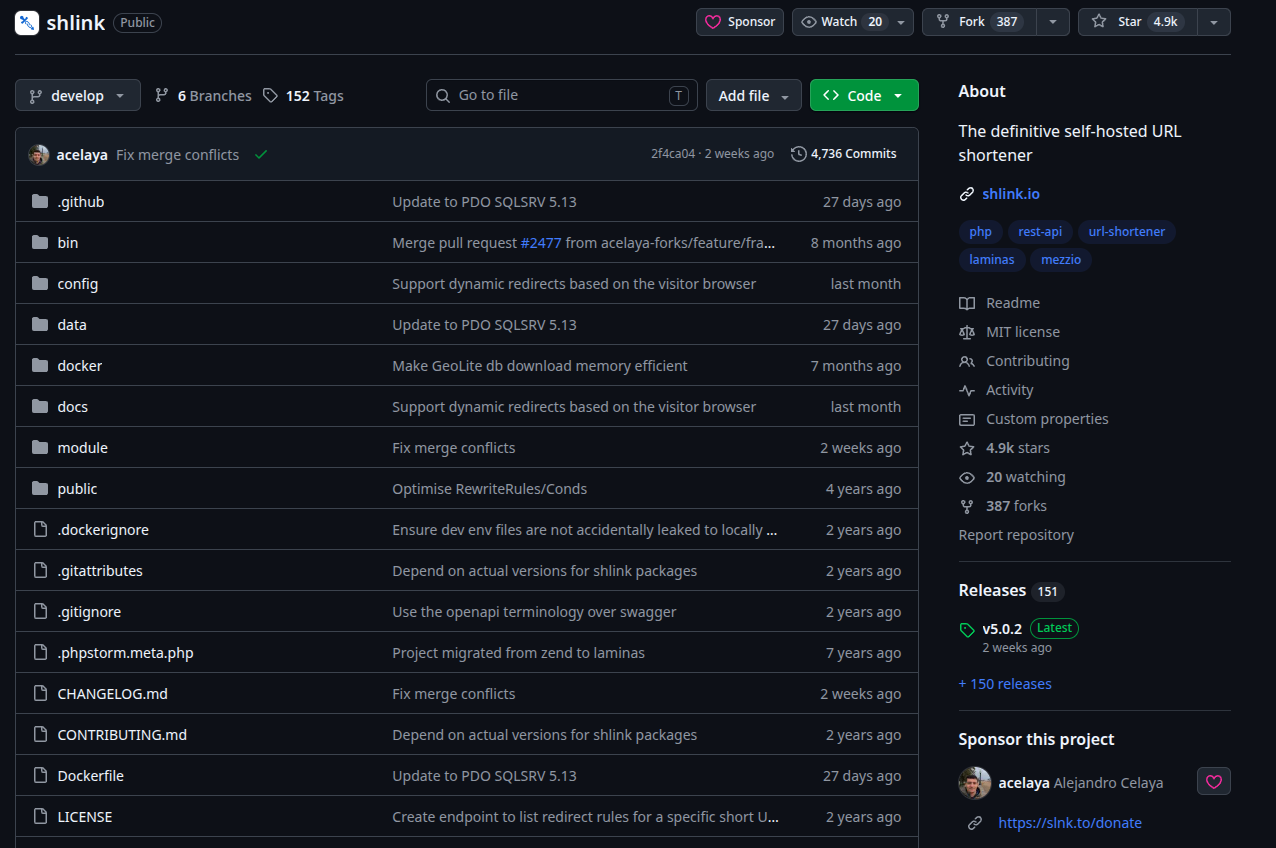
With nearly 4.9k stars on GitHub and 151 releases at the time of this writing, Shlink is not an experimental side project. It's a mature, actively maintained tool with real production deployments.
Try it yourself: Shlink on GitHub | Official website
What Is Shlink, Exactly?
Let's start with the basics. Shlink (short for "short link") is a PHP application that you run on your own server. You point a short domain at it, and from that moment on, every link you create under that domain is yours, the data, the tracking, the slugs, everything.
Think of it as the backend engine that powers a URL shortener service. Shlink itself doesn't have a graphical UI built in, but it comes with two ways to control it out of the box:
A command-line interface (CLI) - run shlink short-url:create https://your-long-url.com and get a short link back instantly.
A REST API - every operation available in the CLI is also exposed through a well-documented HTTP API, so you can integrate Shlink into any application or script.
And then, because most people don't want to manage links from a terminal forever, there's a separate web client called Shlink Web Client, a progressive web app that connects to your Shlink API and gives you a proper dashboard to manage everything visually.
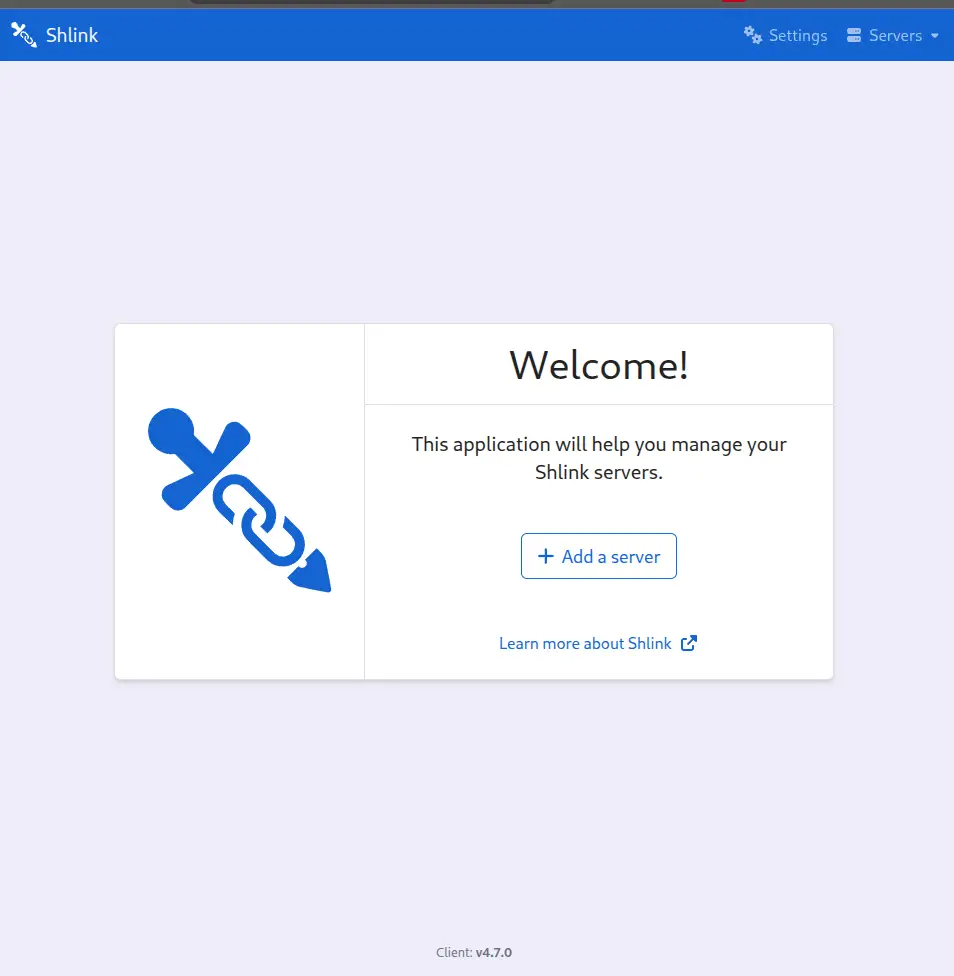
You can use the hosted version at app.shlink.io (it talks directly to your own self-hosted server), or you can self-host it too. This separation of concerns - backend API + frontend client is a deliberate architectural choice that makes Shlink incredibly flexible for integrations.
How Does It Compare to Bitly?
Before diving into the features, let's be honest about who Bitly is and what they charge.
Bitly's free tier limits you to 50 links/month. 2 QRs/month (yes, only two). Branded links with your custom domain require the Growth plan at ~$29/month. Detailed analytics and API access push you toward the Premium plan at ~$199/month. And the free tier obviously comes with a lot of ads.
Now here's the thing - Shlink gives you all of the following completely free, running on your own VPS:
| Feature | Shlink (Self-Hosted) | Bitly Free | Bitly Growth (~$29/mo) |
|---|---|---|---|
| Custom domain | ✅ Unlimited | 2 pages | 5 pages |
| Monthly links | ✅ Unlimited | 50 links | 500 links |
| Visit analytics | ✅ Full detail | ❌ | Upto 4 months data |
| Geolocation tracking | ✅ | ❌ | ✅ |
| REST API access | ✅ Full | ❌ | ✅ |
| QR code generation | ❌ handled by web client | ❌ | ✅ |
| Data ownership | ✅ 100% yours | ❌ Bitly's servers | ❌ Bitly's servers |
The trade-off is real: Bitly is plug-and-play, while Shlink requires a server to run on and some initial setup time. But if you already have a VPS or a home server, the case for Shlink is very strong.
The $10/month savings angle: If you're on even the cheapest Bitly paid plan ($10/month Core) just for the extra links, you're paying $120/year for something you could own outright. The math is obvious.
Getting Shlink Running
The fastest way to get Shlink up is with Docker. The official image is published on both Docker Hub and GitHub Container Registry, and it handles all PHP dependencies internally.
Quick Setup:
services:
  shlink:
    image: shlinkio/shlink:stable
    container_name: shlink_review
    restart: unless-stopped
    ports:
      - "8888:8080"
    environment:
      # The domain Shlink will use to build short URLs
      DEFAULT_DOMAIN: localhost:8888
      # HTTP only for local testing (no SSL cert needed)
      IS_HTTPS_ENABLED: "false"
      # GeoLite2 key for geolocation — get a free one at https://www.maxmind.com/en/geolite2/signup
      # Leave as REPLACE_ME to start without geolocation (everything else works fine)
      GEOLITE_LICENSE_KEY: "REPLACE_ME"
      # Use SQLite — no external DB container needed for local testing
      DB_DRIVER: "sqlite"
You can use this compose and have to replace the placeholder for the Geolite key with you key. After setting up you will be able to see the container running.

There is a full list of commands for the CLI interaction of the shlink at the official documentation.
The Web Client: Your Dashboard for Everything
Once your Shlink backend is running, you connect it to the Shlink Web Client. This is a Progressive Web App (PWA), meaning you can install it on your desktop or phone like a native app, and it works entirely in your browser.
Here's the key thing to understand: the web client never stores your link data. It just communicates with your own Shlink server via the REST API. The hosted version at app.shlink.io is simply a UI; all your data stays on your server.
Let's setup web-client to see how efficient it is to manage your server through a GUI.
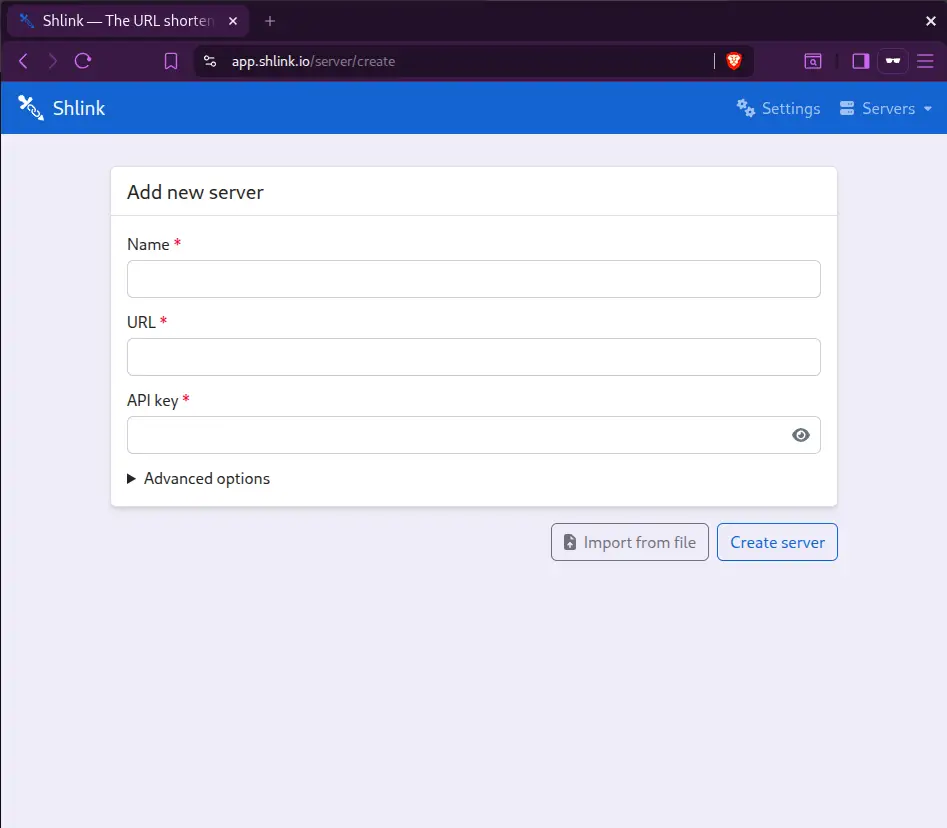
On this, you need to set up the name, URL and the API key generated by you through running the container. You can run the command:
docker exec -it shlink_review shlink api-key:generateafter configuring the server will be connected in 30-40 seconds.
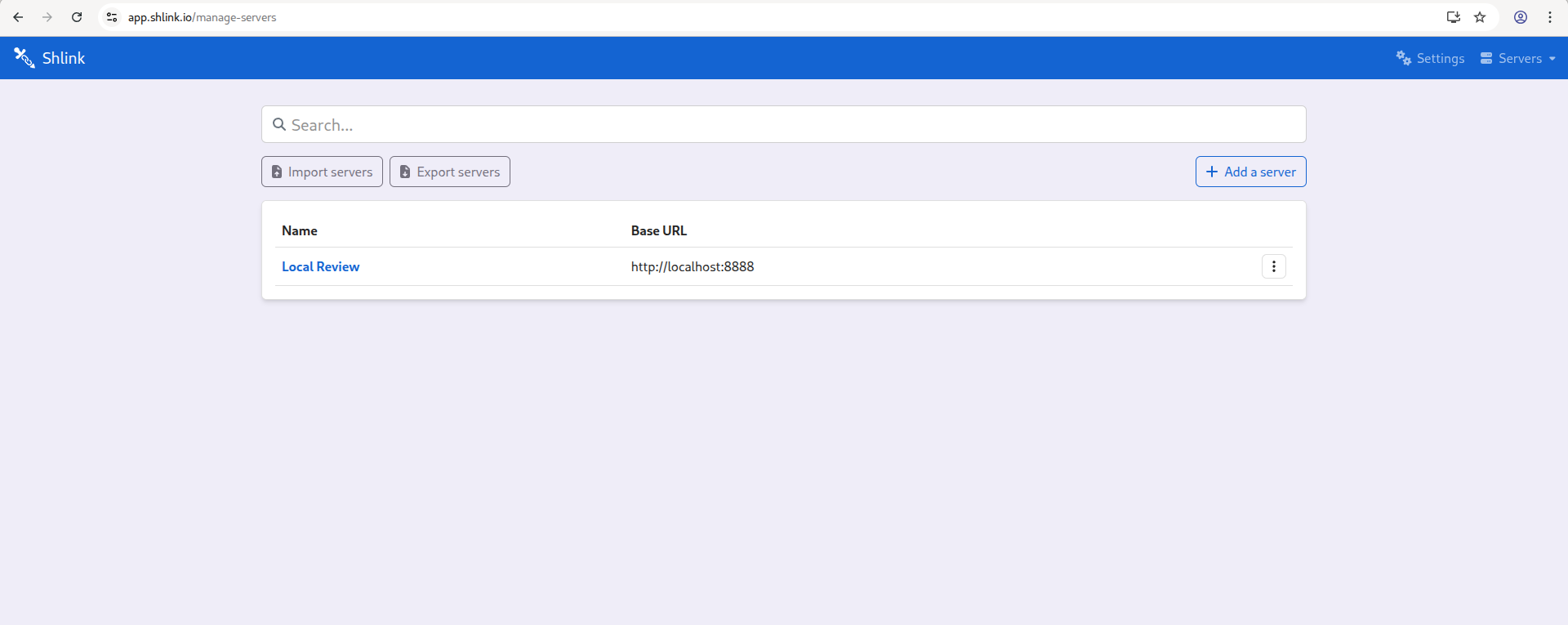
In this you can create short URLs by clicking on Create short URL:
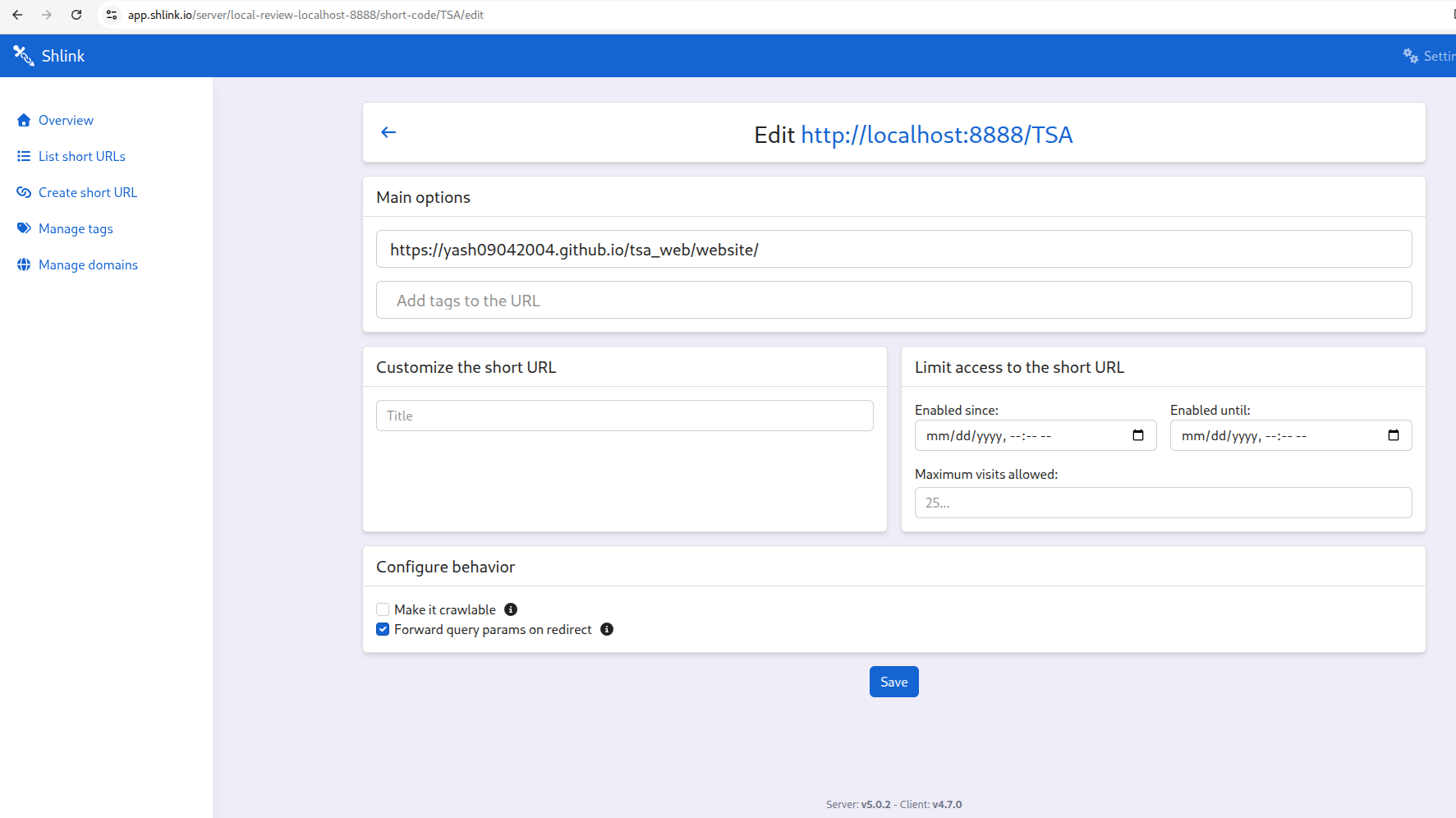
After setting up, the short links are activated and you get the analytics like visits, oprhan visits, short URL, tags, etc.
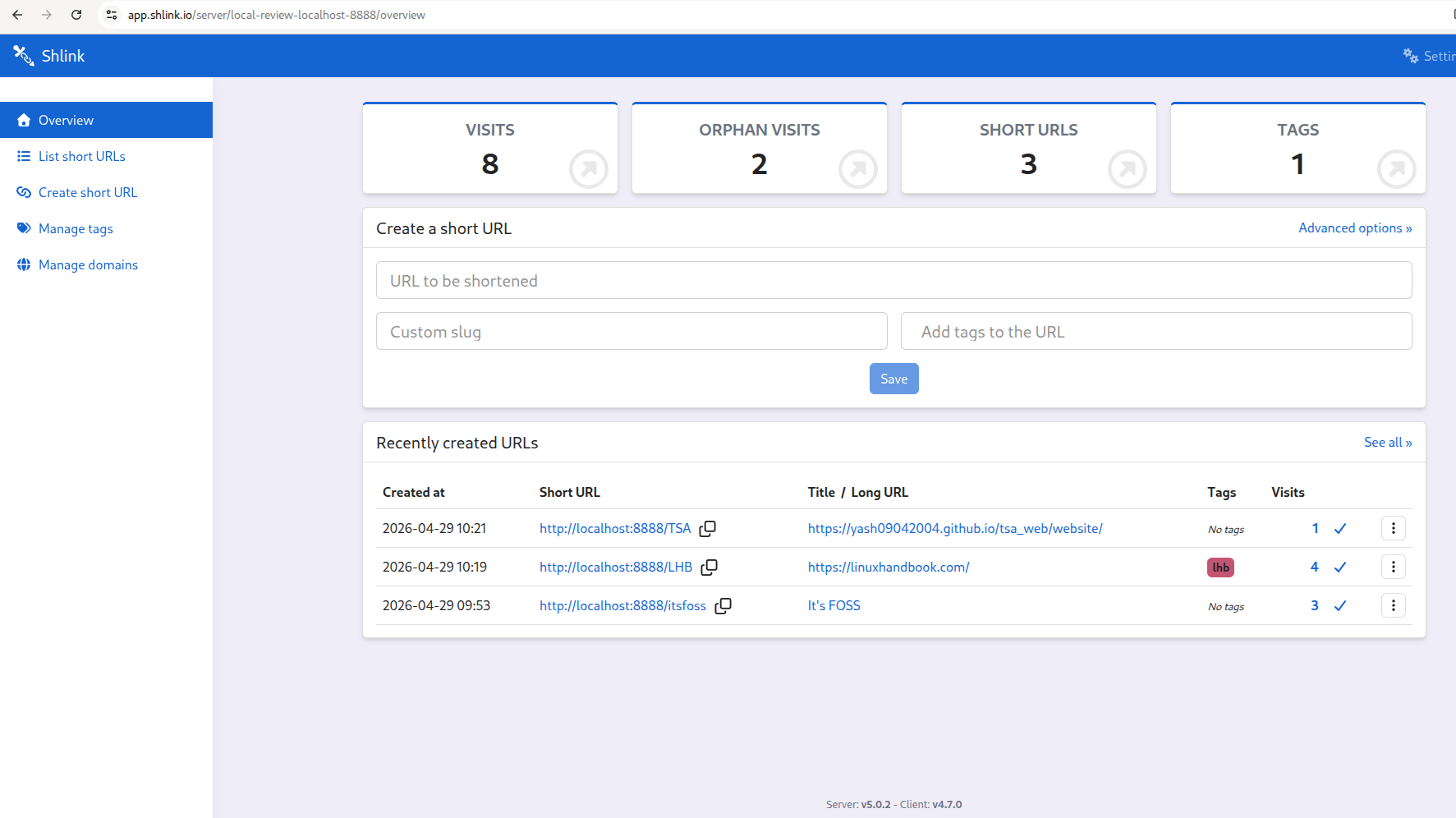
I was simply able to redirect to the main URLs from the short URL generated by shlink, it was consistent and no complex configurations for making a shortened URL.
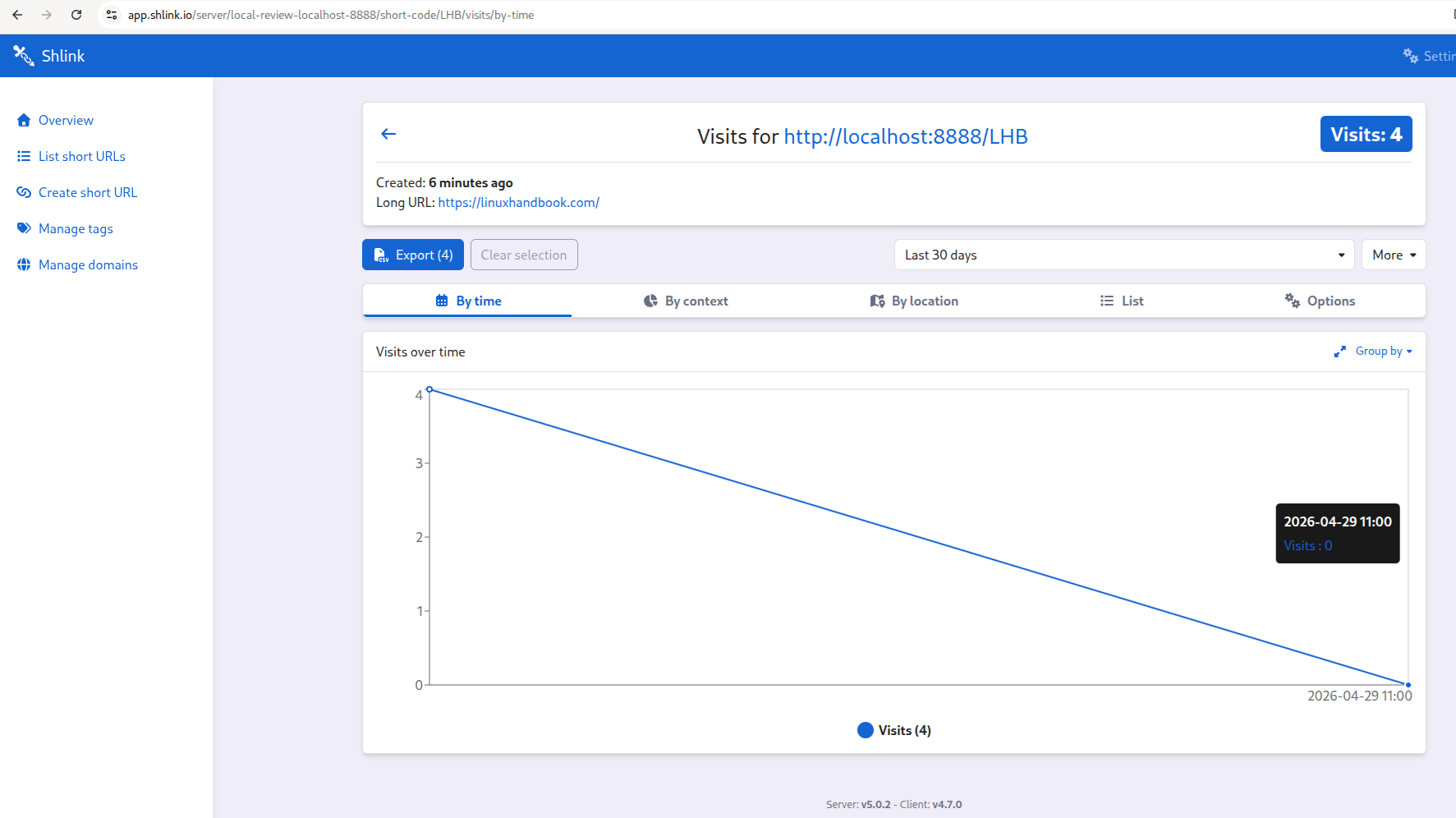
You get detailed stats according to the days, visits, visualizations, location, context, and exporting options for the stats report.
Don't want to manage a server? Shlink is available on PikaPods, which handles all the hosting for you with a one-click setup. Pricing starts at ~$2.3/ per month, and Shlink gets a portion of the revenue to fund the project.
Core Features Worth Knowing About
Custom Slugs and Multi-Segment Slugs
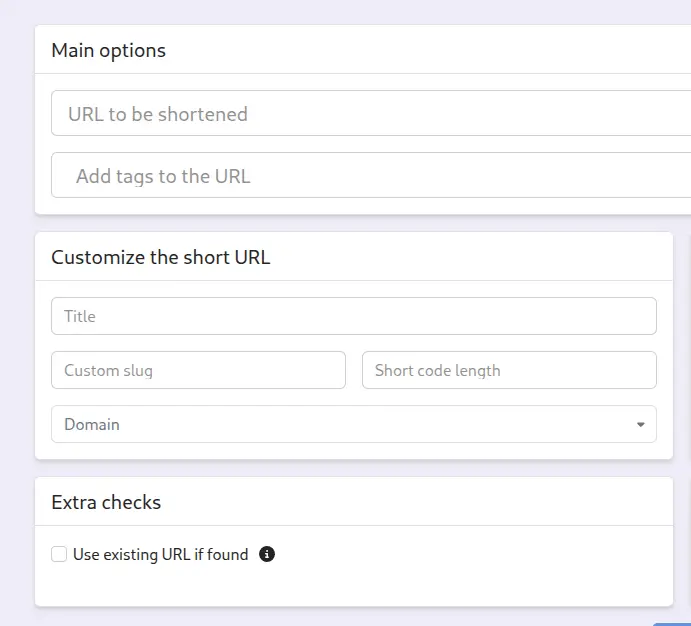
By default, Shlink auto-generates short codes like s.yourdomain.com/abc123. But you can set your own human-readable slug: s.yourdomain.com/linux-guide or even multi-segment slugs like s.yourdomain.com/articles/linux-guide.
Visit Tracking and Analytics
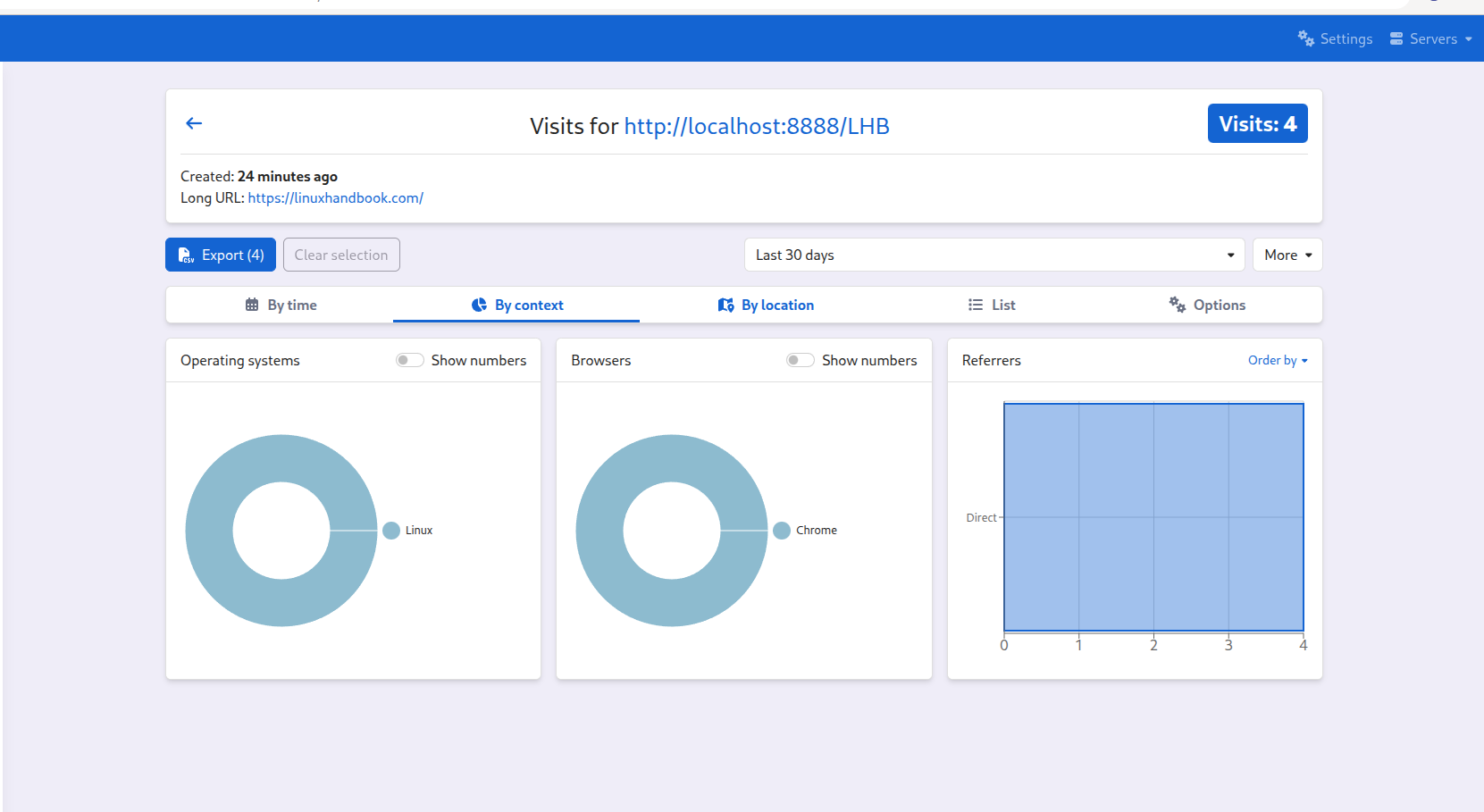
Every click on a short URL gets tracked. Shlink records: Date and time of the visit, Country, region, and city(via MaxMind GeoLite2 geolocation), Device type (desktop/mobile/tablet), Browser and OS, Referrer(where the visitor came from).
IP addresses are anonymized by default, which is what makes Shlink GDPR-compliant out of the box.
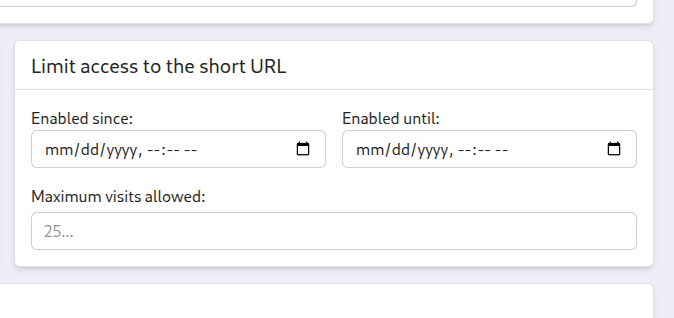
Limited Access and Expiry
This feature alone is worth highlighting. You can set a short URL to: Expire after a certain date - perfect for time-limited promotions or event links, Expire after a maximum number of visits - create a link that only the first 100 people can use, and after that it shows a 404.
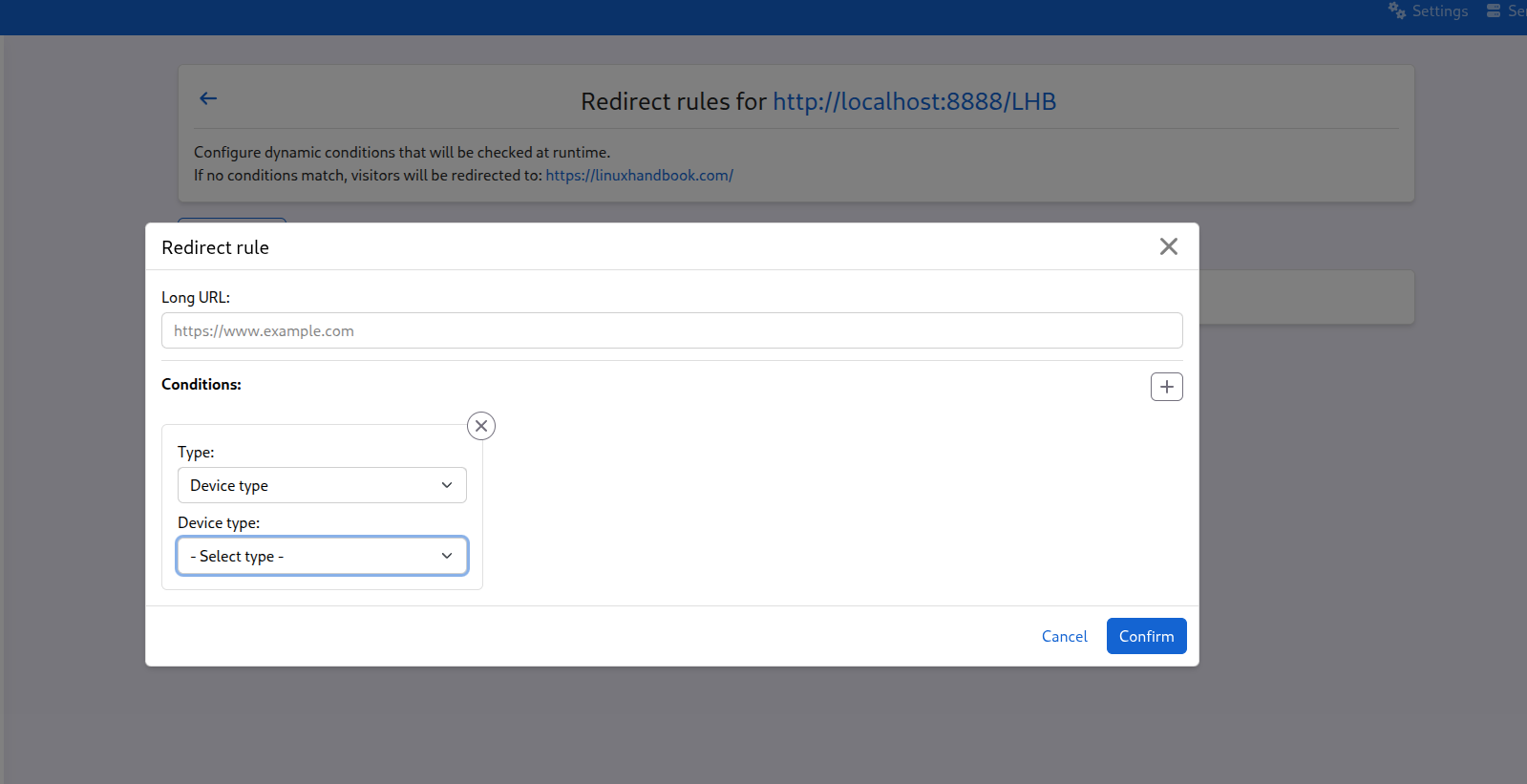
Dynamic Redirects (Rule-Based)
Here's where Shlink goes beyond being a "simple" URL shortener. You can set up rules that redirect visitors to different destinations based on: Geolocation, Device type, Language and OS. This turns a short link into a smart redirect engine, which is something you'd normally need a dedicated link management platform to do.
The REST API and CLI: For When You Want to Automate
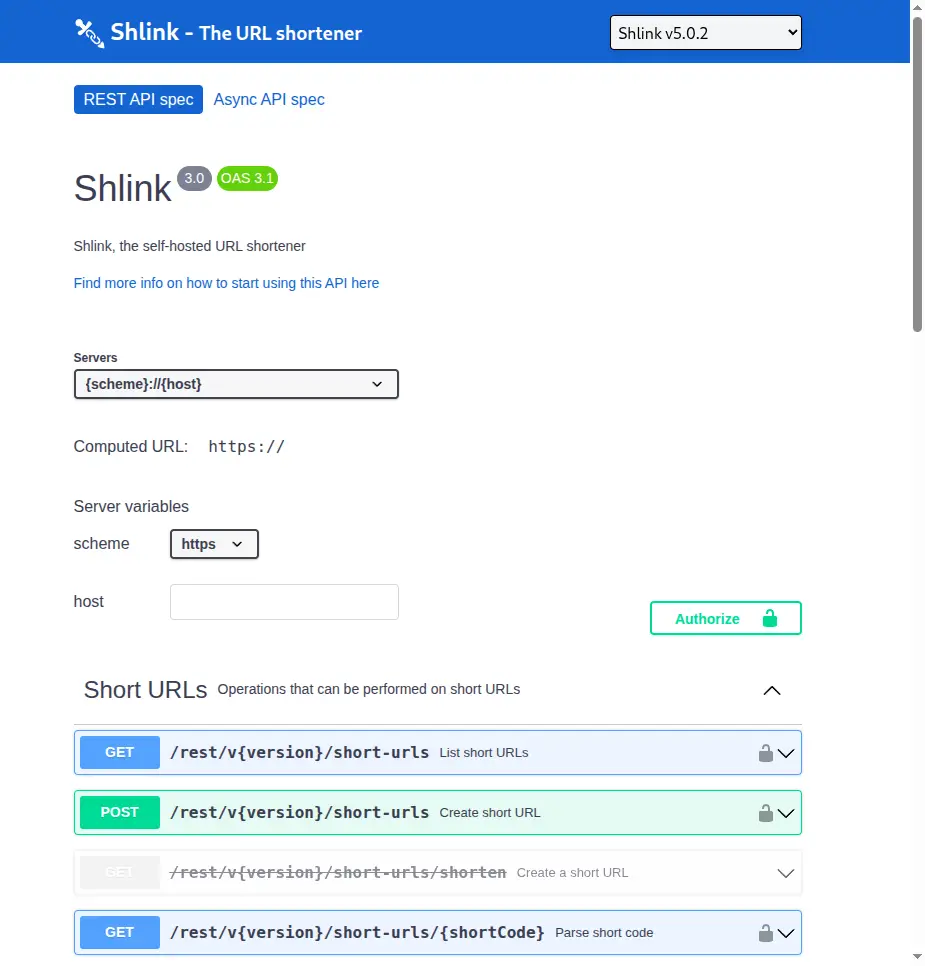
Shlink's API is well-documented at api-spec.shlink.io, with an interactive sandbox where you can try every endpoint. Every operation you can do from the web client is available via the API and a few things (like API key management) are only available from the CLI or API, not the web client.
Some examples of what you can do with the CLI inside the Docker container:
# Create a short URL with a custom slug
docker exec my_shlink shlink short-url:create https://itsfoss.com/linux-guide --custom-slug linux-guide

# List all short URLs
docker exec my_shlink shlink short-url:list

# View visit stats for a specific short URL
docker exec my_shlink shlink short-url:visits linux-guide

# Generate a new API key with a name
docker exec my_shlink shlink api-key:generate --name "automation-script"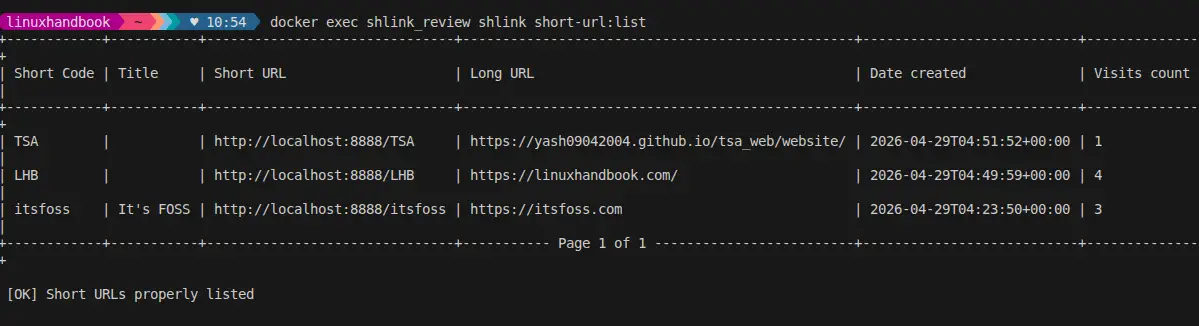
The API makes Shlink a building block for larger systems. If you run a website, you can integrate Shlink to automatically generate short links for every new article you publish. If you send newsletters, you can use it to wrap all your links and get click tracking without any third-party service touching your subscriber data.
Importing From Bitly (and Others)
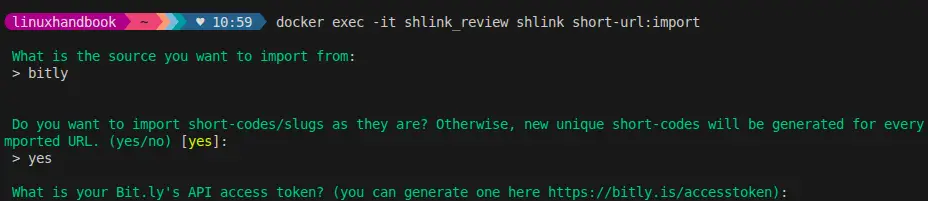
If you're currently using Bitly and want to migrate, Shlink has a built-in importer. It can import existing short URLs from Bitly, YOURLS, CSV, Shlink, and kutt.
Import is performed from the command line, by running the short-urls:import command.
This command will guide you through the import process, asking you to provide the source from which you want to import, together with all required information for this process to succeed. The import preserves the original short codes where possible, so your existing links don't break after migration.
You can always refer to official documentation for specific importing steps from different platforms.
What Shlink Doesn't Do Yet
There's no built-in multi-user authentication. Shlink uses API keys for access control; there's no "create an account with a username and password" UI. If you want multiple people to manage links, you create separate API keys for them. This works, but it's not the polished team management experience you'd get from a SaaS product.
The setup requires some technical comfort. You need to understand Docker (or PHP server setup), DNS configuration, and reverse proxy configuration to get Shlink running with HTTPS and custom domains. It's not hard if you've done it before, but it's not a one-click install for beginners either.
The GeoLite2 license key requirement is a minor friction point. MaxMind's license key is free, but you have to register and include it manually. Without it, geolocation doesn't work. It's a licensing compliance thing, not a Shlink design flaw, but it adds a step.
Real-time updates need extra infrastructure. Shlink supports real-time visit notifications through Mercure or RabbitMQ, but you have to set those up separately. If you don't, the web client just refreshes on a polling interval, which works fine for most people.
What Works Really Well
The custom domain support is genuinely good. Most self-hosted shorteners make you pick one domain. Shlink's multi-domain support means you can run personal, professional, and team link shorteners all from one installation.
The analytics are far better than Bitly's free tier. Country, device, browser, referrer - you get all of this without paying anything beyond your server cost.
The API is excellent. Every feature is accessible via the API with consistent, well-designed endpoints. If you want to integrate URL shortening into your workflow or build tooling around it, Shlink is designed for this use case.
The Docker image is production-ready. Non-root user execution (since v4.0.0), multi-architecture support (amd64 and arm64), proper versioning with stable and tags, it's thoughtfully packaged.
151 releases and 4.9k stars. This is not a tool that gets abandoned after six months. Shlink has been actively developed since 2016, maintained by Alejandro Celaya, and has a real community around it.
Conclusion
Shlink does one thing and it does it very well: it gives you a professional-grade URL shortener that you actually control. The custom domain support, visit analytics, dynamic redirects, and REST API together make it a legitimate replacement for Bitly across most use cases, without the monthly subscription.
The setup does require some server knowledge, but it's well within reach for anyone who has deployed a Docker application before. The documentation is thorough, the project is actively maintained, and if you don't want to manage a server at all, PikaPods makes it a one-click deployment.
If you're currently paying Bitly $10–$30 a month for features that Shlink provides for free, this is worth a serious look.