If you've ever put a Linktree link in your social bio, you've already felt the sting. The free tier is frustratingly limited, the analytics are locked behind a paywall, and every profile you visit carries Linktree's branding and not yours. OneURL is an open-source project that sets out to fix all of that. It gives you a fully customizable "link in bio" page at oneurl.live/your_username, with real analytics, link previews, a Collections feature, and the freedom to self-host the entire thing.
With nearly 380 stars on GitHub and 490+ live profiles at the time of this writing, OneURL is not just a toy project; it's an actively used product. Let's dig into what it actually delivers.
Try it yourself: OneURL on GitHub | Live demo at oneurl.live
What Is OneURL?
OneURL is an open-source alternative to Linktree. It lets anyone create a clean, minimal profile page that aggregates all their important links and social profiles, portfolio, projects, or anything else, under a single memorable URL like oneurl.live/yourname.
The pitch is simple: one link in your bio, email signature, or anywhere you want to appear online. Click tracking tells you what your audience actually engages with.
What separates OneURL from dozens of similar tools is its tech stack and philosophy. It's built with Next.js 16 (App Router) and React 19, uses Better Auth for authentication, PostgreSQL with Prisma ORM for data storage, and TanStack Query for state management. There's even a separate Express.js backend service that handles link preview metadata fetching (using Cheerio scraping), so when you add a GitHub repo or a blog post, it pulls in the title, description, and preview image automatically, which I liked the most.
The cloud-hosted version at oneurl.live is completely free to use. The self-hosted path is also fully supported.
If you want to contribute to the development part, you can try self-hosting and tweak different things to make it better, but if you are a normal user, you can just visit the oneurl.live site and can make an account and get started.
First Impressions
Landing on oneurl.live for the first time, you're greeted with a clean, monochromatic design. The hero section gets right to the point: a large headline, a username claim field oneurl.live/username, and a "Claim your URL" button. A row of overlapping user avatars shows 490+ people have created their profile - a nice social proof touch.
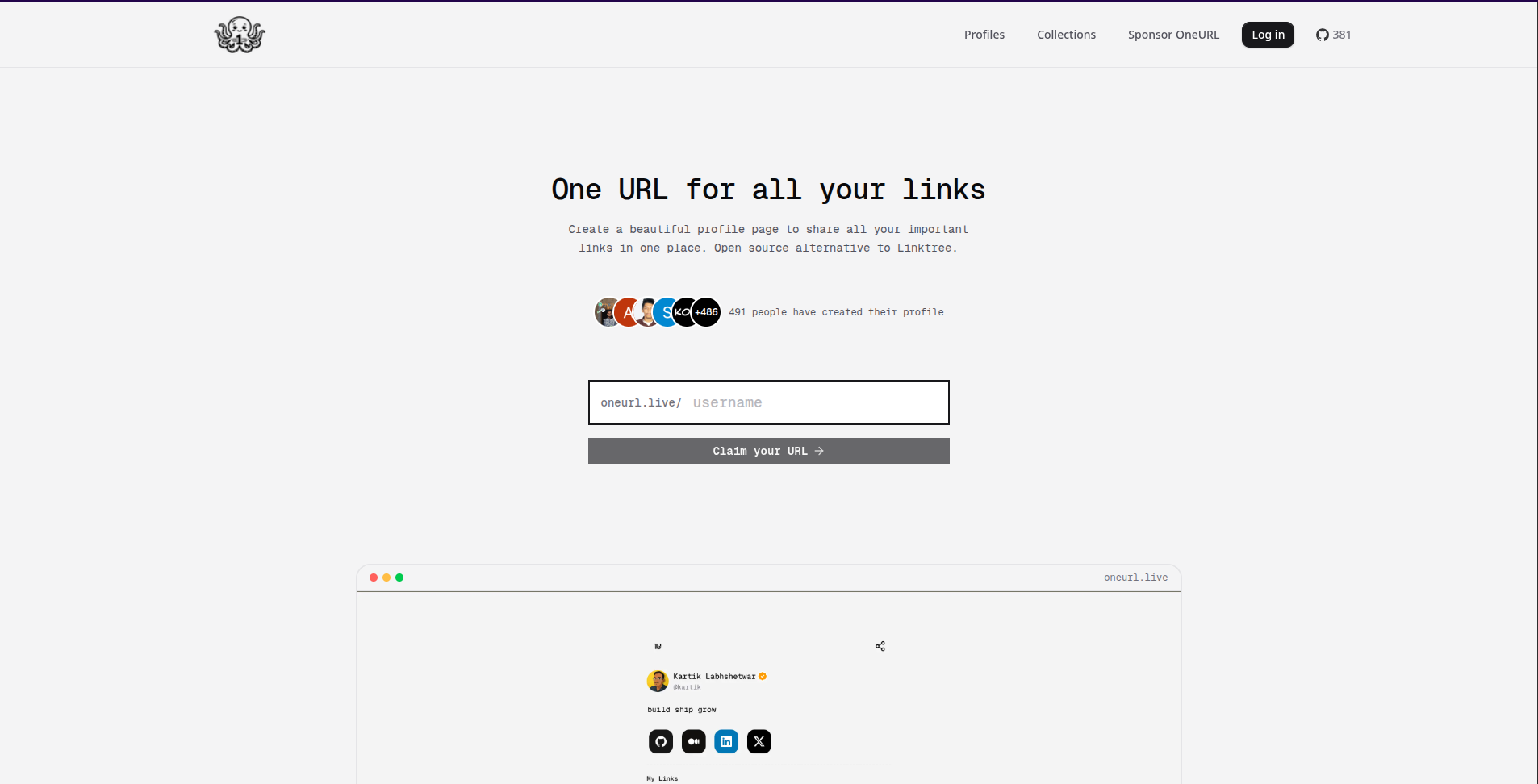
Typography is rendered in the Geist font family, the same typeface used by Vercel, which immediately communicates "developer product" without trying too hard.
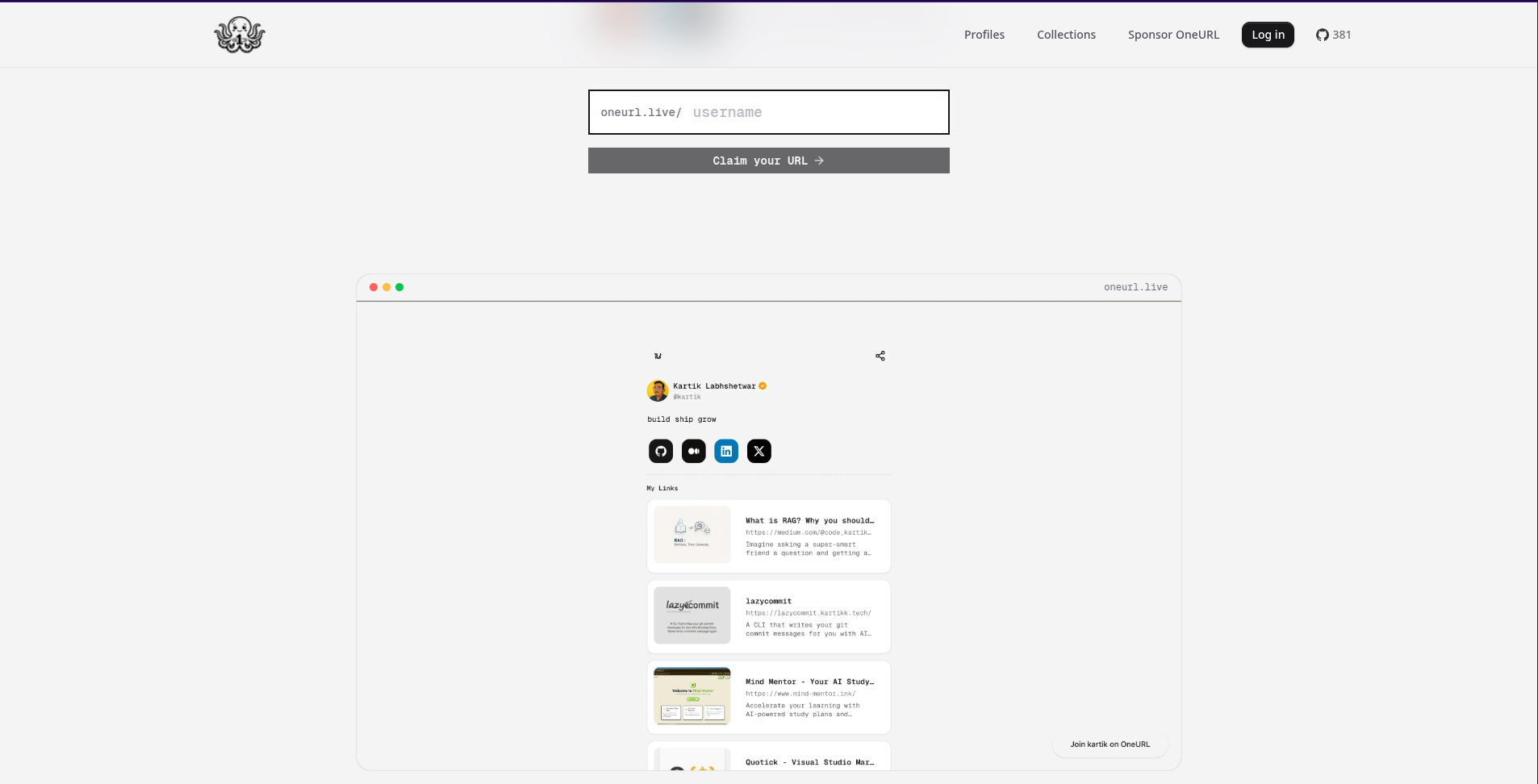
A mock browser window below the hero previews the creator's own profile (Kartik Labhshetwar's), showing exactly what a completed profile looks like. This is smart UX - it answers "what will my profile look like?" before you even sign up.
It includes three steps to set up: Claim your username → Add your links → Share everywhere. No bloat, no feature lists disguised as benefits - just the core workflow.
It clearly felt Clean, fast and focused to me. It knows what it is.
Signing Up
One thing I noticed here is that when you sign up, there is only one single auth provider google, Google. Other than that, there are no other methods for custom email and password or any other auth provider like GitHub, Outlook, etc.
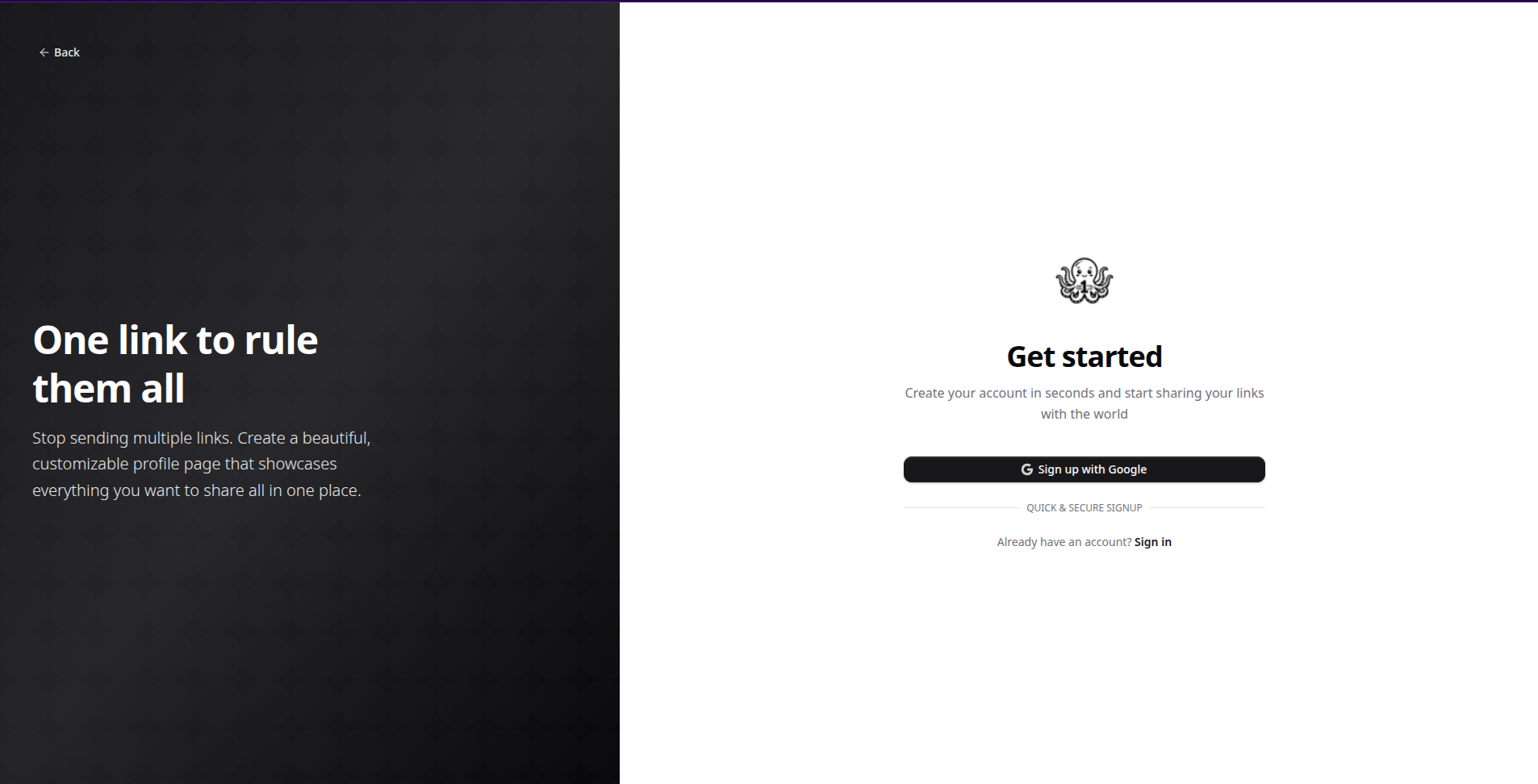
It reduces auth complexity and eliminates password management. For most users, especially developers who are already signed in to Google, this is convenient. But it is also a real limitation. Users without Google accounts (people using Apple, ProtonMail, or any non-Google accounts) are completely locked out of the cloud-hosted version.
The Onboarding Flow
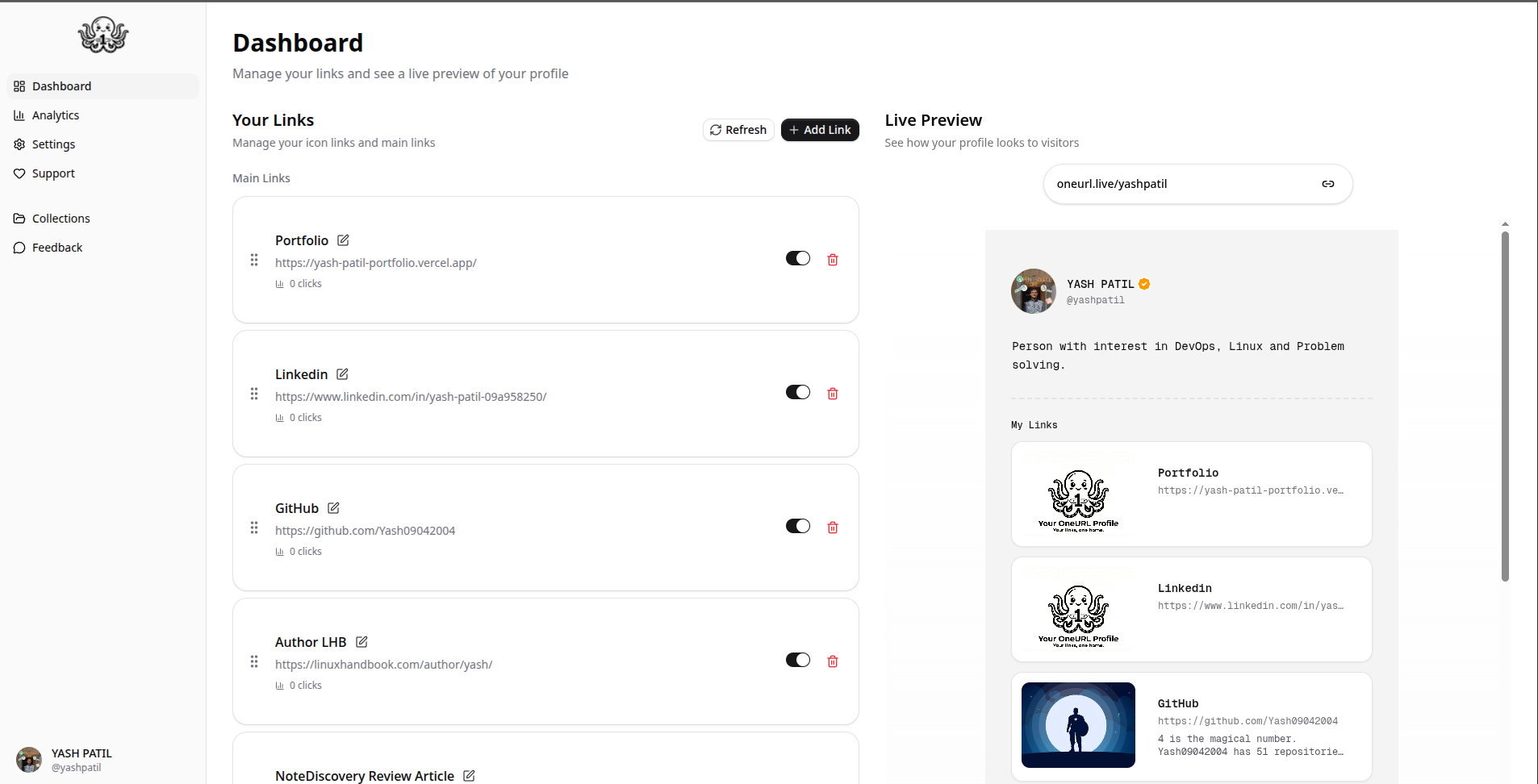
After signing in with Google, OneURL guides you through an onboarding flow to set up your profile. You pick a username (the system checks availability in real time), optionally upload a profile picture (via UploadThing), and add a bio. The flow is short and functional.
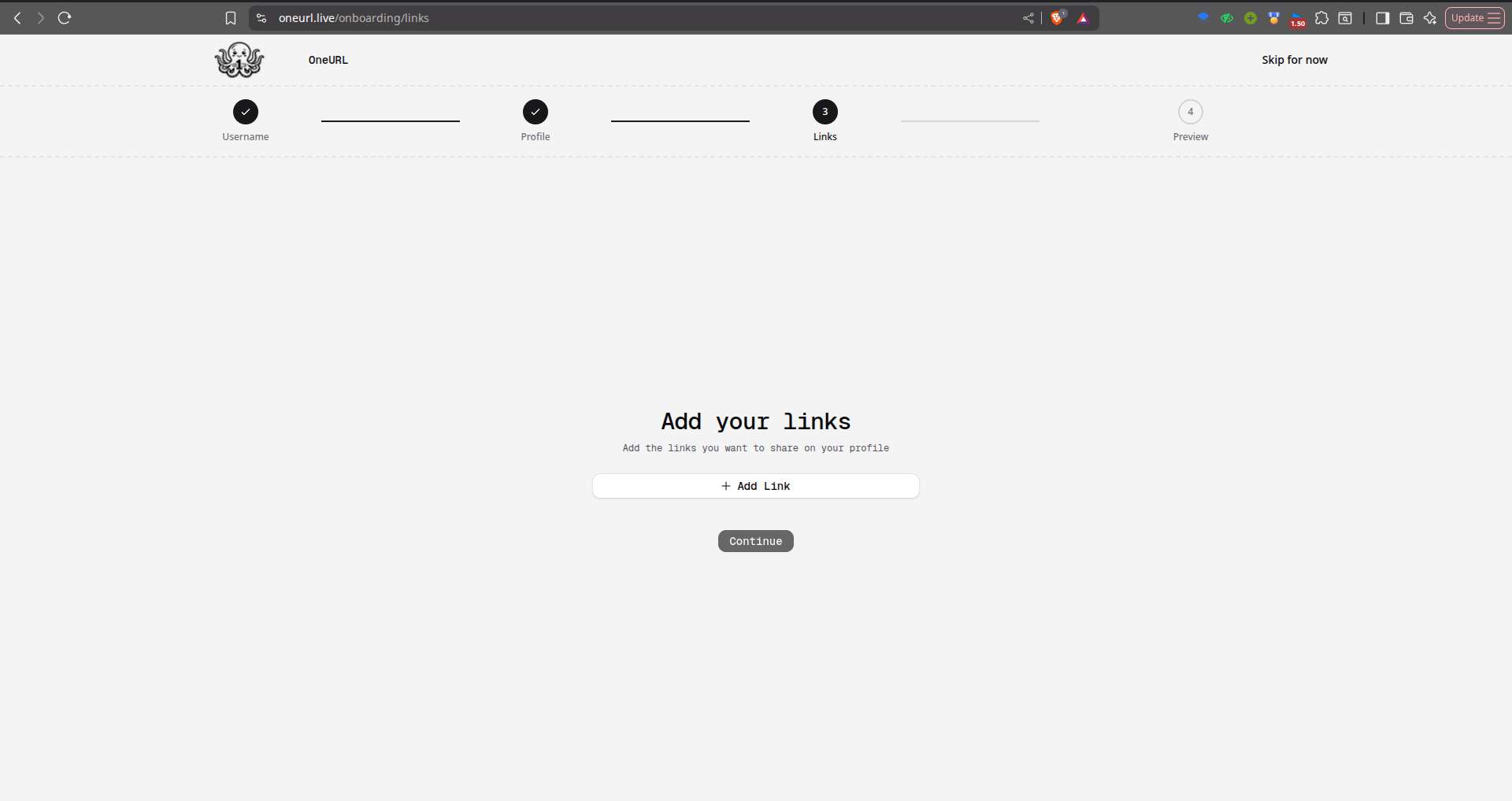
After that, you can add your links like GitHub, LinkedIn, YouTube, Blog Articles, Profiles, etc,. anything that you need to show or share all in one profile.
Once onboarded, the dashboard is where you spend most of your time. You can:
Add links: by pasting a URL, the Express.js backend automatically fetches the title, description, and preview image for the link (powered by Cheerio HTML scraping). This gives each link card a rich preview without any extra work.
Reorder links: by dragging and dropping.
Toggle links on/off: without deleting them, using the `isActive` boolean per link.
Edit links: to customize the title and icon if the auto-fetched data isn't right.
Publish or unpublish: your profile, which controls whether your page is visible at oneurl.live/username.
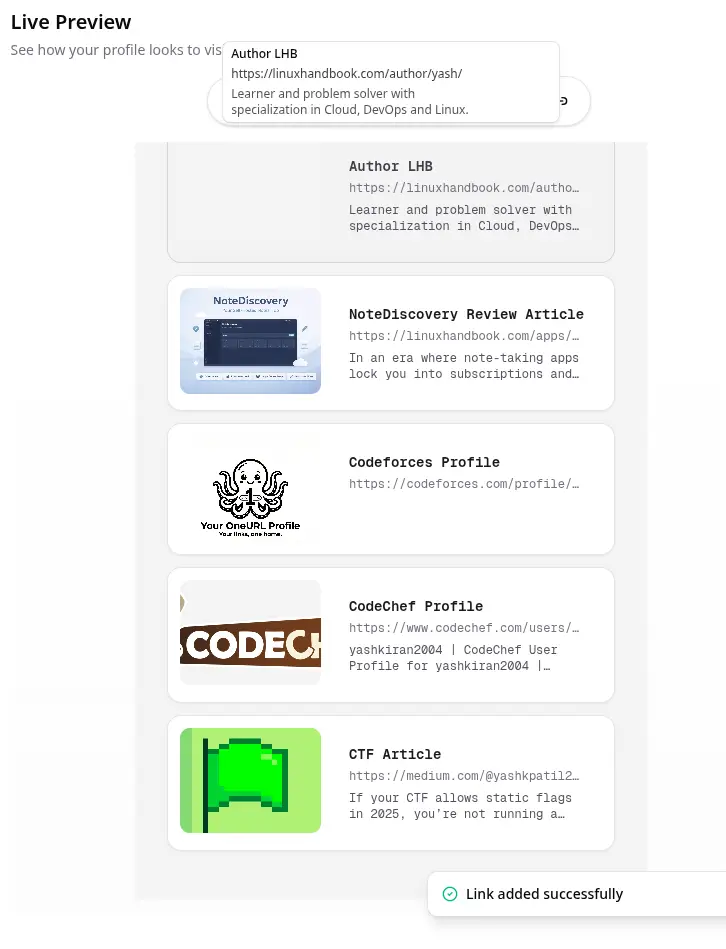
The link preview feature is genuinely impressive. Paste in a GitHub repository URL and it automatically pulls in the repo's social preview image. Paste a Medium article and it grabs the header image and subtitle. This is handled by a separate Express service (running on port 3001 by default) that scrapes Open Graph metadata with Cheerio - a clean architectural decision that keeps the Next.js frontend lean.
Another missing piece that I observed is that there's no grid layout option. Live interface only shows a list layout, which cannot be efficient to view too many link previews.
Analytics We Get
The analytics feature is where OneURL goes beyond what the Linktree free tier offers. Looking at the database schema, the LinkClick model is remarkably detailed.
The analytics included Referrer (where the click came from), country, device type, browser, operating system, UTM parameters (source, medium, campaign, term, content), IP address and user agent, session fingerprint (for deduplication).
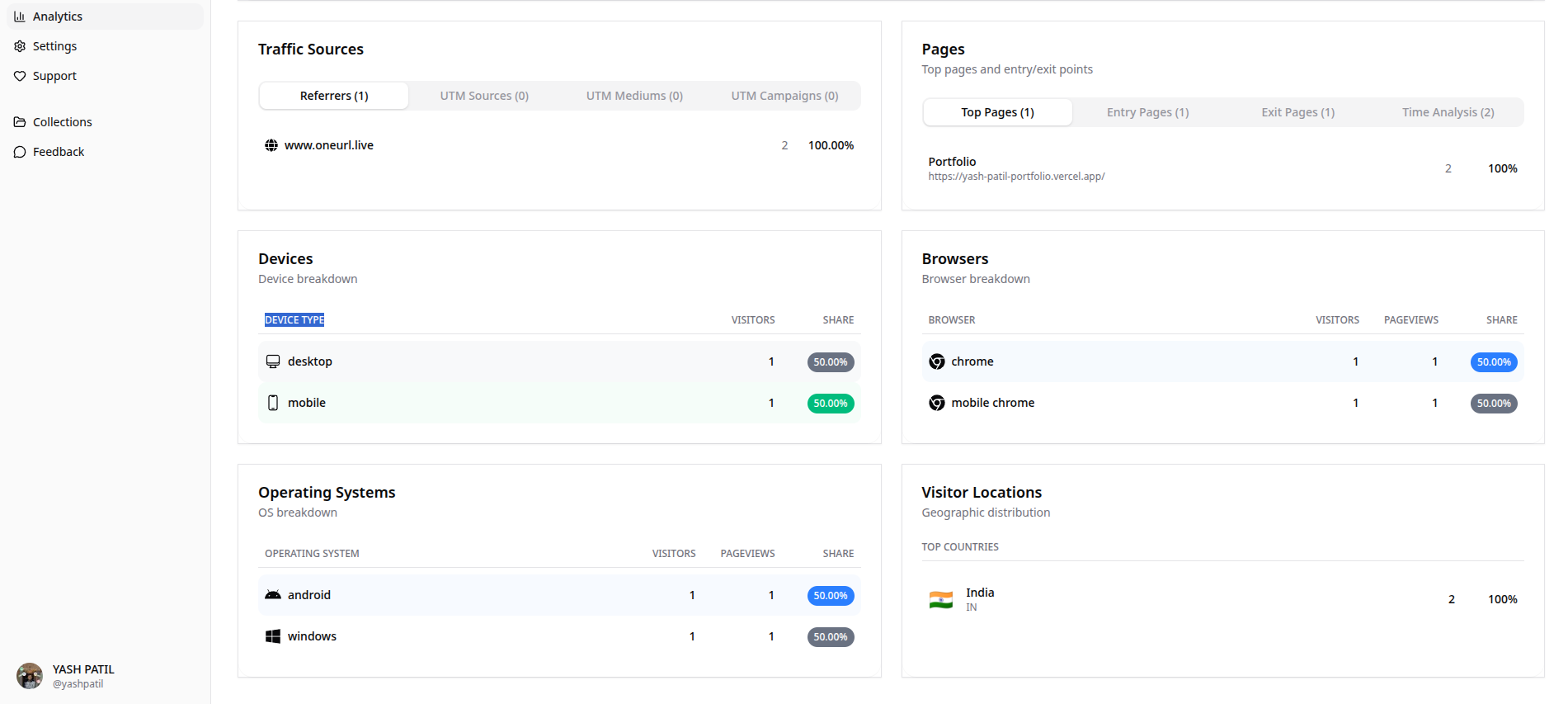
It was pretty impressive to see all analytics, including the unique visitors, where the linkclicks are coming from, visualisation of the traffic trend and how much retention is on the session; these features we don't even get in the premium tiers of the paid tools.
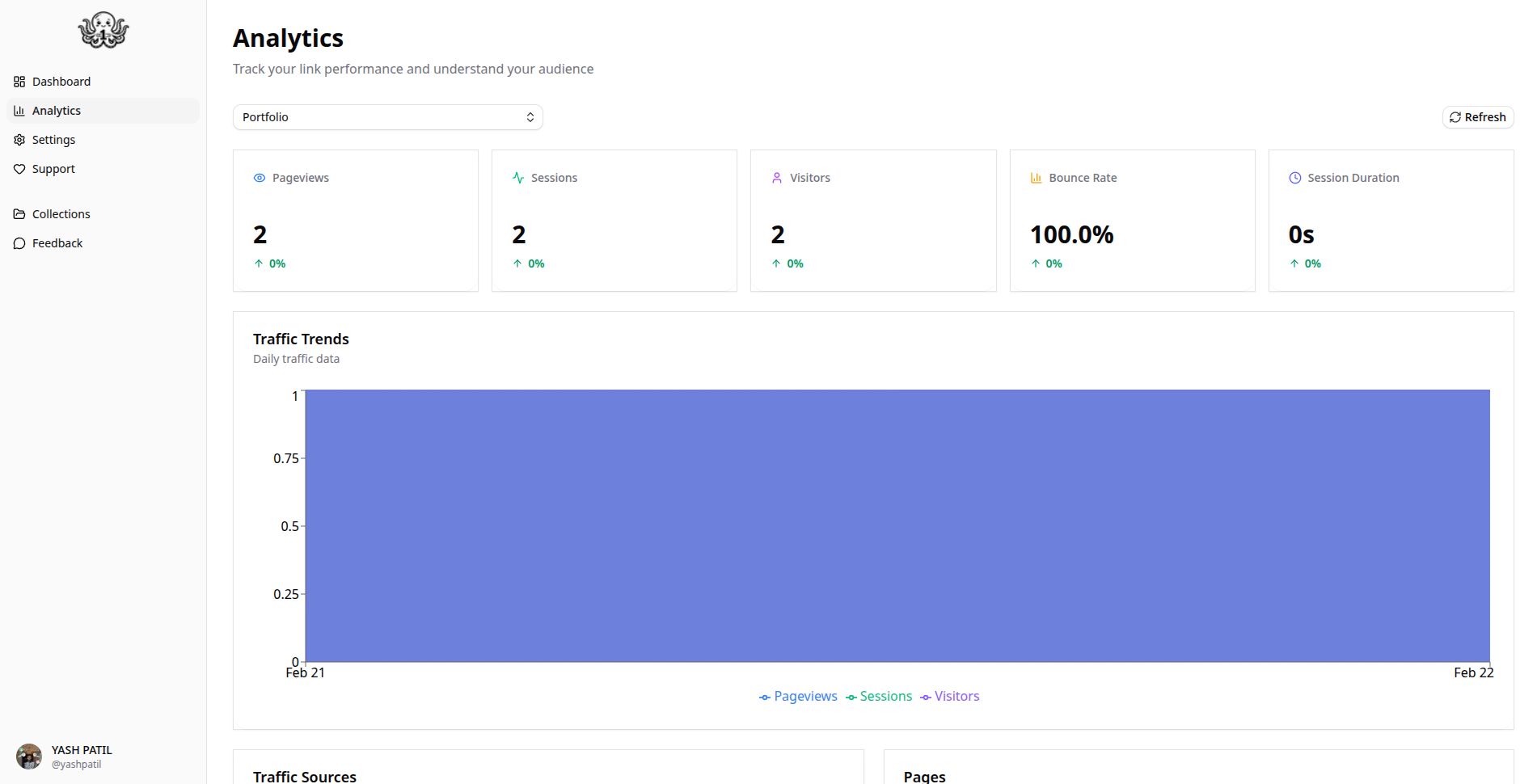
That's a professional-grade analytics schema. UTM parameter tracking means you can tag links differently for different campaigns and see which one drives more clicks. Session fingerprinting (via idempotencyKey) prevents counted double-clicks.
Linktree charges for detailed analytics on its paid plans. OneURL provides this tracking infrastructure for free, including for self-hosters.
Collections: An Interesting Bonus Feature
Collections is a feature that's somewhat unique in this space. Instead of just one personal link page, you can curate themed groupings of links and publish them as standalone collections visible at oneurl.live/collections.
From the live collections page, examples include:- "My SaaS Stack" - a curated list of Next.js, Drizzle, and Neon links, "Cool stuff I built" - a developer's portfolio of three projects, etc. Which I found interesting, if you want to curate some links for a group purpose.
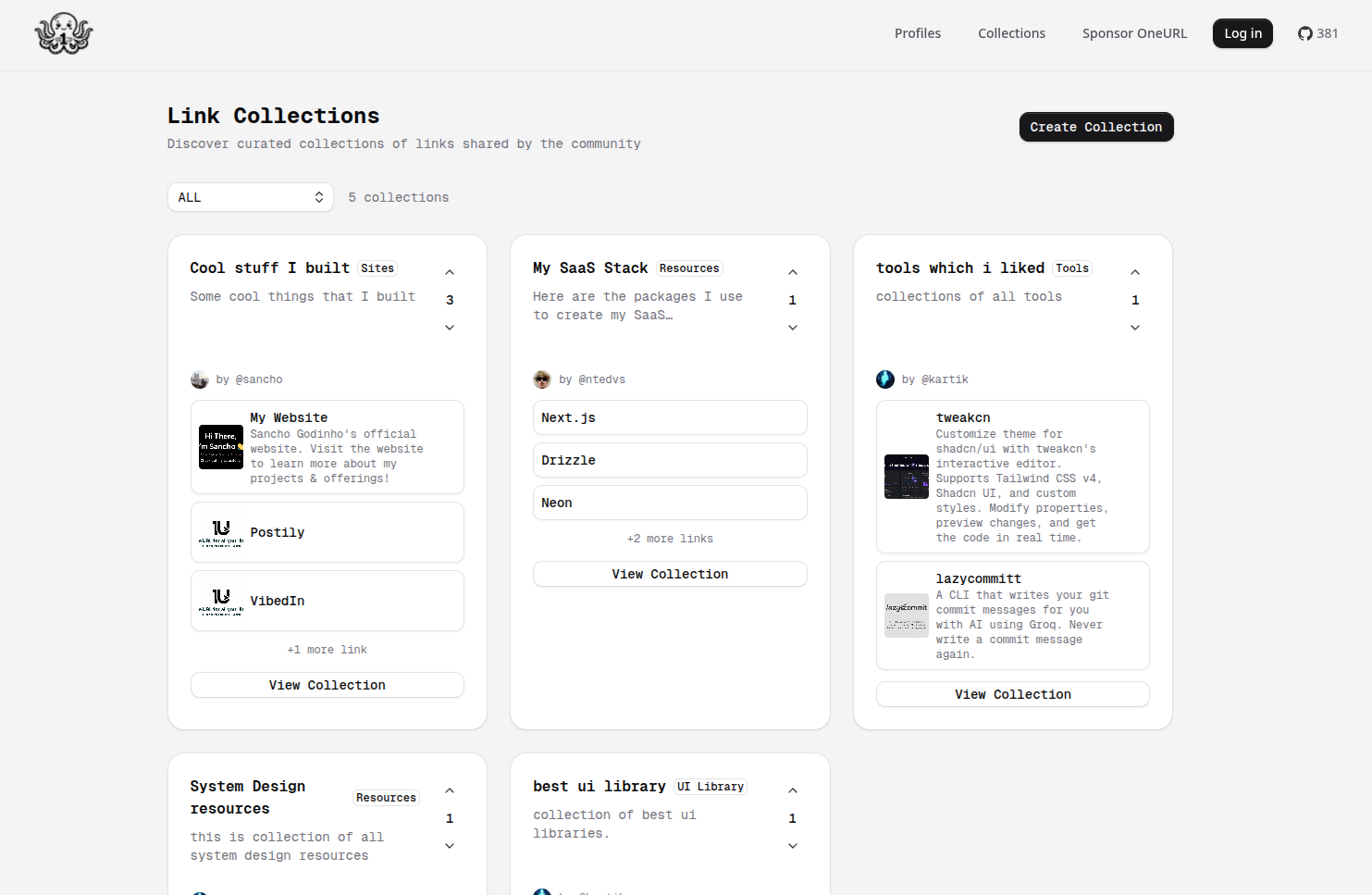
Collections support categories (UI Library, Resources, Sites, Tools, Other) and have a voting system (upvotes and downvotes), which creates a basic community curation layer.
This feature makes OneURL more than just a personal link page - it's also a lightweight link-sharing community tool. Whether that adds value depends on how active the community becomes. At the time of testing, there were only a handful of public collections, so the community aspect hasn't taken off yet.
Self-Hosting
If you want to run OneURL on your own infrastructure, the process involves more moving parts than a typical Docker Compose app:
git clone https://github.com/KartikLabhshetwar/oneurl.git
cd oneurl
bun install
# Set up .env with DATABASE_URL, BETTER_AUTH_SECRET, BETTER_AUTH_URL,
# GOOGLE_CLIENT_ID, GOOGLE_CLIENT_SECRET, UPLOADTHING_TOKEN, BACKEND_URL
bun prisma generate
bun prisma migrate dev
# Then in a second terminal:
cd backend && bun install && cd ..
bun run dev:all  # starts both Next.js and Express
The bun run dev:all script runs both services concurrently, which is convenient. But for production deployment, you'd need to orchestrate two services - the Next.js frontend and the Express backend - rather than the single container most people expect from a self-hosted tool.
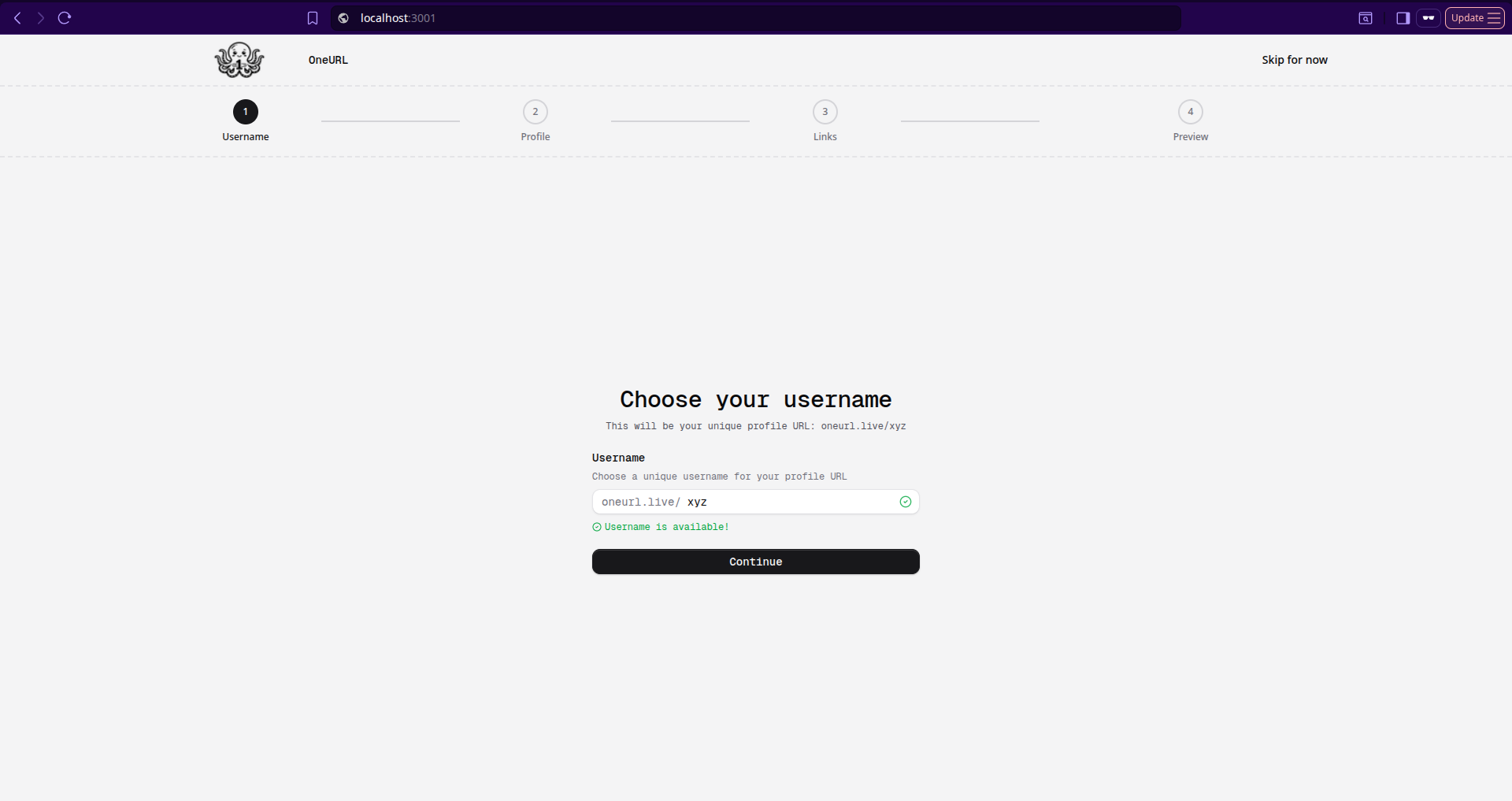
Just while running, there can be issues like already running on a port, so try changing the port, or an issue with a different dependency if you install with bun or npx, so be careful.
There's no Docker Compose file OneURL provides no containerized deployment path out of the box. For serious self-hosting, you'd need to write your own Dockerfile and compose configuration. This is a notable gap for a tool aiming at the self-hoster community. As the live URL is already there for the normal users, self hosting can be useful for the developers who want to contribute and make changes.
What Works Really Well In OneURL
You paste a URL and it instantly becomes a rich card with logo, title and description pulled automatically. No other free Linktree alternative at this tier does this reliably. The auto-fetching and preview feature is really nice.
UTM tracking, bot filtering, device/browser/country breakdown. This is production-quality analytics tracking that rivals paid tools. The analytics infrastructure is genuinely impressive.
The ability to share curated theme'd link lists goes beyond the standard Linktree feature set and opens up community use cases. Collections add genuine utility.

The code is well-organized, TypeScript throughout (99% of the repo), services are separated cleanly, and Prisma migrations give you a clear history of how the schema evolved. Representing the Open source with a clean codebase. 380+ GitHub stars, 45 forks, 490+ live profiles, for a relatively young project, this is solid traction.
Where OneURL Falls Short
Google-only authentication: The most significant usability limitation. There's no email/password option, no GitHub login, no magic link - just Google OAuth. Anyone outside the Google ecosystem is excluded.
No theming or profile customization: Every profile looks identical. Honestly, your eyes feel tired after looking in white background for hours. If you want your profile to feel personal, with different colors, fonts, and backgrounds, you're out of luck in the current version.
No Docker Compose for easy self-hosting: For a project positioning itself as a self-hosted alternative, the absence of a docker-compose.yml is a real friction point. You have to figure out your own containerization strategy.
The Collections community is sparse: The voting/curation model has potential, but with only a handful of public collections at launch, it's an empty room. Network effects take time to build.
Conclusion
OneURL delivers on its core promise: one URL, all your links, with better analytics than Linktree's free tier and the freedom to self-host. The link preview auto-fetching, the detailed analytics schema, and the Collections feature together make it genuinely useful, not just a demo project.
But it's still early. The Google-only authentication is a real barrier. The missing profile themes mean every profile page looks the same. And the self-hosting experience needs Docker Compose support badly to be truly welcoming to the sysadmin crowd it's targeting.
The developer community has clearly taken notice (380+ stars in under 3/4 months), and active development is ongoing. The architectural foundation is solid — Next.js 16, Prisma, Better Auth, TanStack Query — which means adding features like theming, GitHub auth, or email login is tractable.
If you want a free, open-source Linktree alternative for your bio link today, OneURL works. If you want to self-host it or customize it beyond the defaults, be prepared to get your hands dirty with the codebase.